



The short answer
Best SuiteDash alternatives at a glance
Wayfront connects repeatable service purchases to intake, delivery, support, and the next sale. SuiteDash is a better fit when one configurable back office should cover CRM, proposals, billing, projects, files, portal pages, and automation.
-
Wayfront
Best for: Agencies selling repeatable productized services. Wayfront connects purchase, intake, projects, tasks, communication, billing, support, and the next sale in one permissioned account.
-
Assembly
Best for: Firms that need to build custom apps for each client. Most plans cap active contacts, payouts reconcile through Stripe Express, and client sales carry a 0.3% to 1.5% billing-method fee.
-
Clinked
Best for: Secure files, client workspaces, permissions, and branded mobile access. Its workspace-and-file model leaves the service purchase and next sale as separate concerns.
-
Bonsai
Best for: Custom projects that start with a proposal. The operating model stays organized around proposals, contracts, and projects. Repeatable service sales inherit that custom-project administration.
-
Plutio
Best for: small service firms that want proposals, contracts, invoices, and projects in one place. Each service sale still has to become a project. A persistent repeat-purchase workflow is outside the product's center.
What you are replacing
SuiteDash is a configurable back office for many industries
SuiteDash gives an operator a large box of business modules. Wayfront has made more opinionated choices around how a productized agency sells, serves, and grows client accounts.
Choose SuiteDash when
Businesses that want one low-cost back office
Choose SuiteDash when one Swiss Army knife must cover CRM, projects, billing, files, portals, proposals, and rules.
Choose Wayfront when
Repeatable services should create repeatable revenue
Choose Wayfront when the service, purchase, intake, delivery, client messages, and next sale should work as one flow.
Product model
How SuiteDash actually works
Both products can give clients a branded portal, collect payments, and automate work. SuiteDash starts with a configurable back office. Wayfront starts with the repeatable service the client buys.
SuiteDash is a broad business suite used across several industries. Wayfront is narrower by design: it runs the commercial client relationship for an agency selling repeatable services.
SuiteDash is a cross-industry business suite
SuiteDash serves many service based businesses. Its integrated tools combine a CRM with proposals, contracts, bills, projects, files, support, marketing, and rules. The modules share data, so the suite can replace several business tools.
That breadth is the product philosophy. A consultant, property firm, legal practice, and agency can each build a different system from the same parts. A productized agency is one use case inside that broad suite.
The client experience inherits that breadth
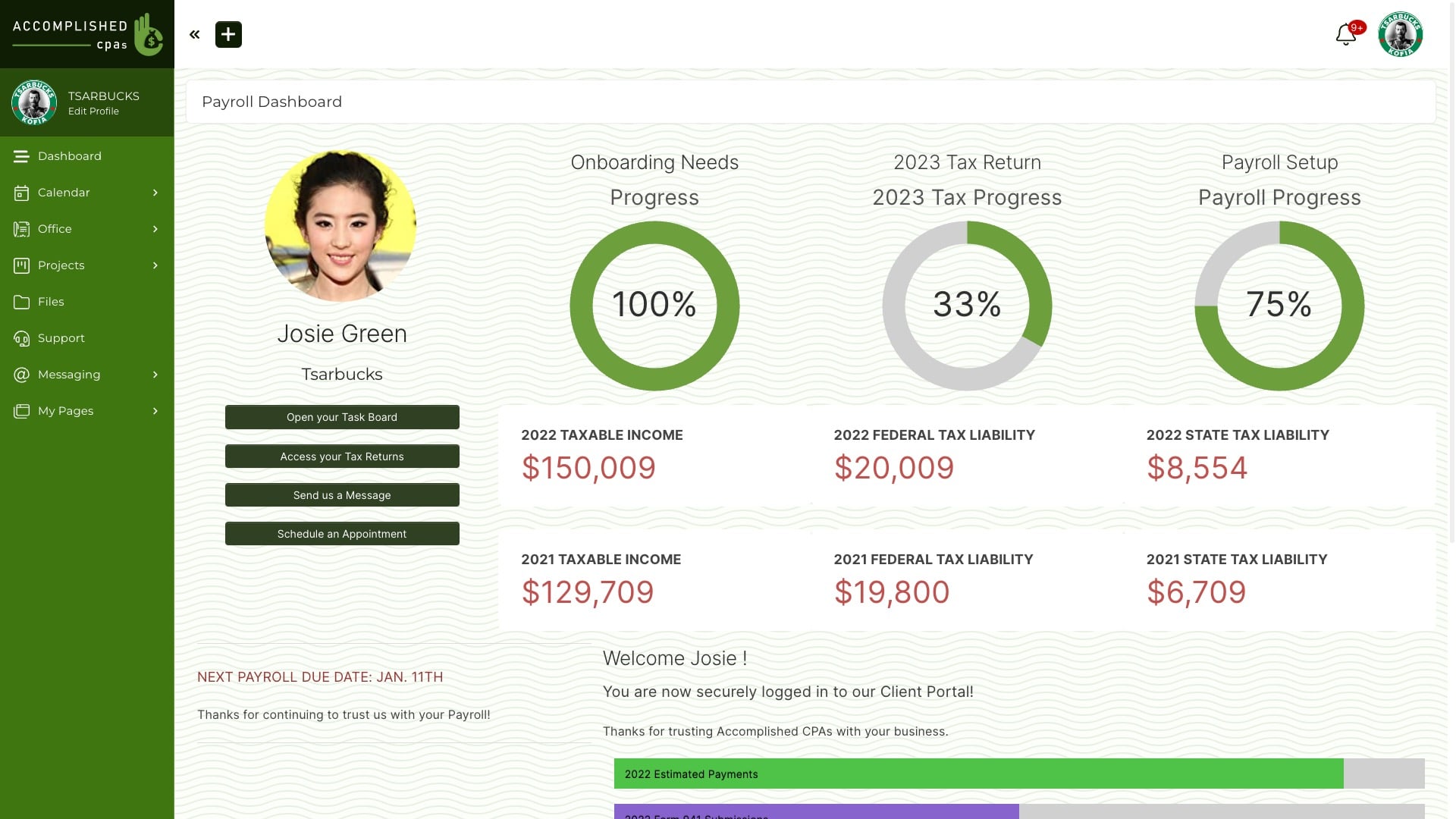
SuiteDash lets the operator control the brand, menus, dashboards, access, files, forms, and portal modules. In Wayfront's August 2026 visual review, the default screens retained a dense, dated back-office style.
That matters when the portal is part of the offer. A client should quickly know what they bought, what happens next, where to reply, and what else they can buy. In SuiteDash, the team must choose which parts to show and how to link them.
Low software cost comes with more configuration
SuiteDash publishes flat plans with unlimited staff and client users. That can suit a cost-conscious business replacing a CRM, billing tool, project app, file portal, and automation tool at once.
The trade is staff time. Build one real service and count the records, templates, permissions, and rules the team must maintain. Decide whether the business wants a broad back office or a set path for a productized agency.
The operating difference in 3 parts
Product philosophy
SuiteDash: SuiteDash is designed to replace multiple administrative tools for businesses across many industries.
Wayfront: Wayfront is designed around agencies selling repeatable productized services.
Implementation
SuiteDash: The operator connects CRM records, proposals, invoices, projects, templates, access rules, and automations into the workflow they want.
Wayfront: The purchased service is already the organizing object for checkout, intake, client delivery, billing, and repeat sales.
Client experience
SuiteDash: The portal reflects a broad business suite, so the owner must decide which CRM, project, billing, automation, and content modules each client should see.
Wayfront: The client experience begins with the repeatable service they bought, then keeps intake, communication, support, billing context, and the next purchase together.
The full shortlist
The 5 best SuiteDash alternatives
Each tool does a different job. Choose based on what should happen after a client pays.
1 of 5
Wayfront
Where Wayfront fits
Best for agencies selling repeatable productized services. Wayfront connects purchase, intake, projects, tasks, communication, billing, support, and the next sale in one permissioned account.
Main tradeoff
Custom work that starts with a proposal needs its own sales process.
2 of 5
Assembly
Where Assembly fits
Best for firms that need to build custom apps for each client. Choose Assembly when client apps, contracts, custom homepages, permissions, and mixed types of work belong in one workspace.
How Assembly is organized
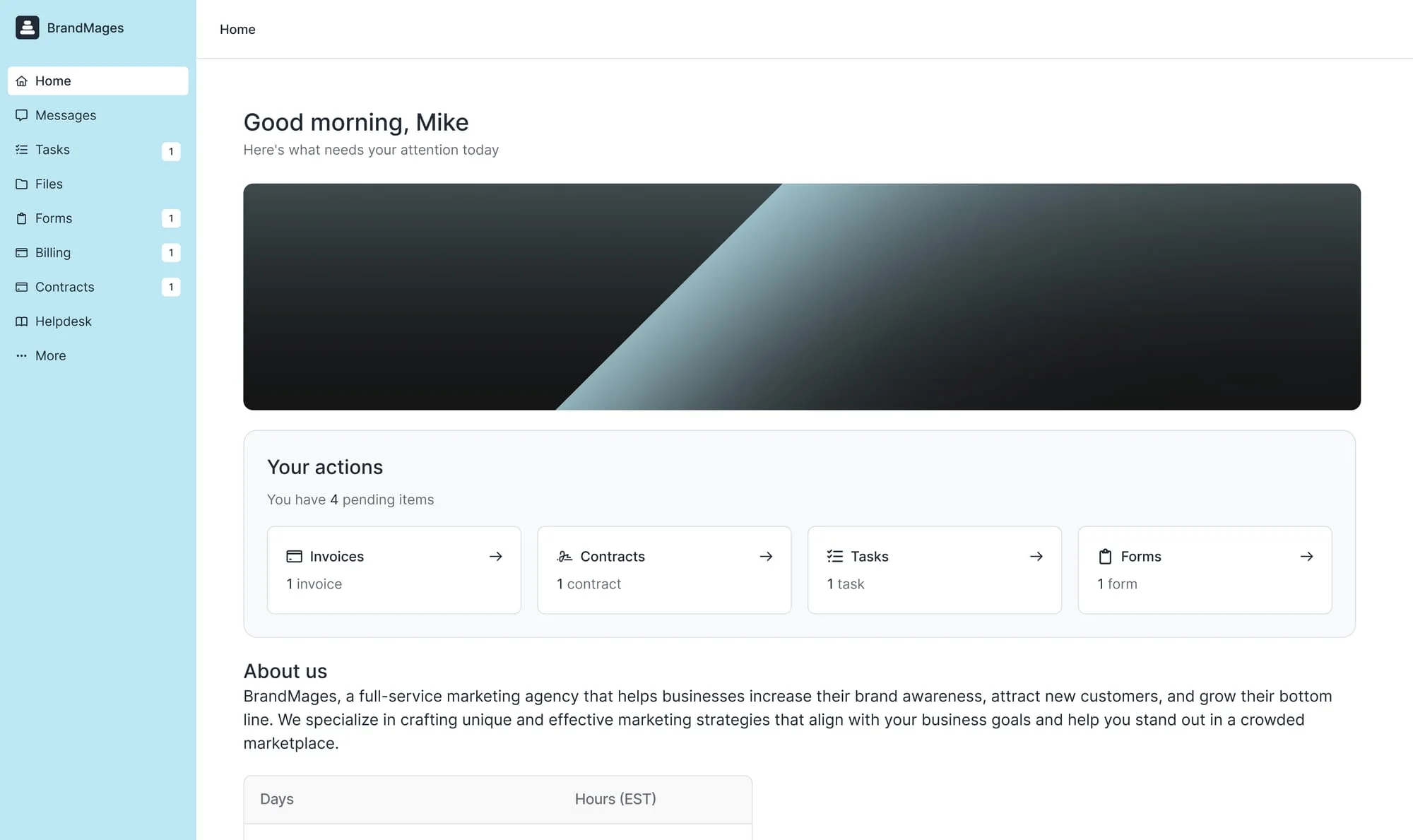
Assembly begins with a client workspace. The firm builds apps, pages, contracts, messages, files, billing, and a service store around each account.
Main tradeoff
Most plans cap active contacts, payouts reconcile through Stripe Express, and client sales carry a 0.3% to 1.5% billing-method fee.
Why it made this shortlist
Choose Assembly when each client needs a workspace made from apps, pages, forms, files, contracts, messages, and billing. It replaces SuiteDash with a client-app model.
What the switch gives up
Assembly caps active contacts by plan and routes Store payouts through Stripe Express with its own billing-method fee. Model those costs against the number of clients and the revenue that will pass through the platform.
3 of 5
Clinked
Where Clinked fits
Best for secure files, client workspaces, permissions, and branded mobile access. Choose Clinked when clients mainly need a safe place to share files and work together.
How Clinked is organized
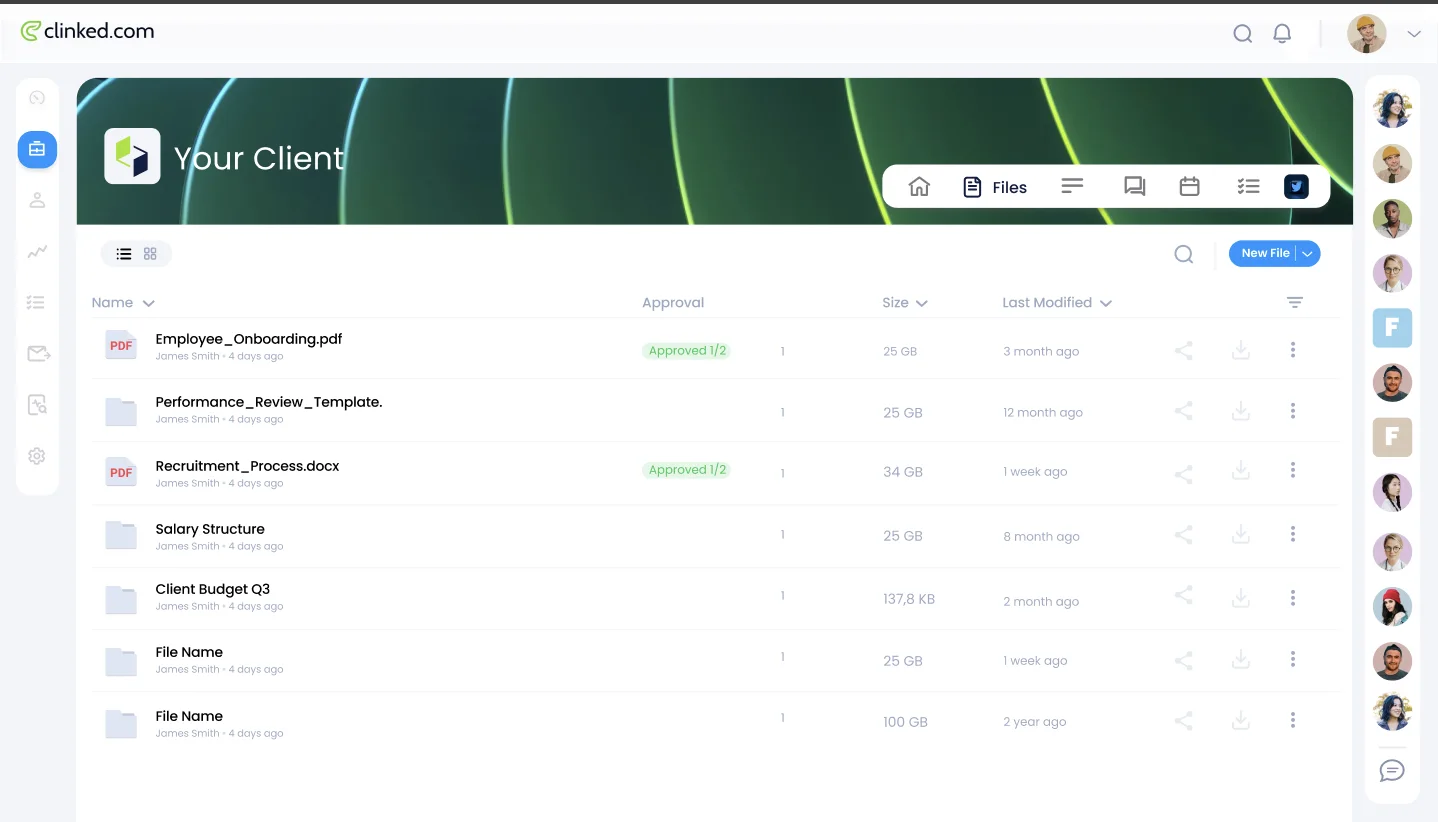
Clinked gives each client a secure group for files, messages, collaboration, permissions, and branded mobile access.
Main tradeoff
Its workspace-and-file model leaves the service purchase and next sale as separate concerns.
Why it made this shortlist
Choose Clinked when the SuiteDash replacement only needs secure client collaboration, documents, discussions, approvals, and branded workspaces. It removes much of the back-office surface area.
What the switch gives up
That focus also removes SuiteDash's broader CRM, proposal, invoicing, and automation jobs. Keep separate systems for sales and service commerce.
4 of 5
Bonsai
Where Bonsai fits
Best for custom projects that start with a proposal. Choose Bonsai when staff time, budgets, workload, contracts, and project profit run the business.
How Bonsai is organized
Bonsai organizes professional services around leads, proposals, contracts, projects, time, budgets, staffing, and profitability.
Main tradeoff
The operating model stays organized around proposals, contracts, and projects. Repeatable service sales inherit that custom-project administration.
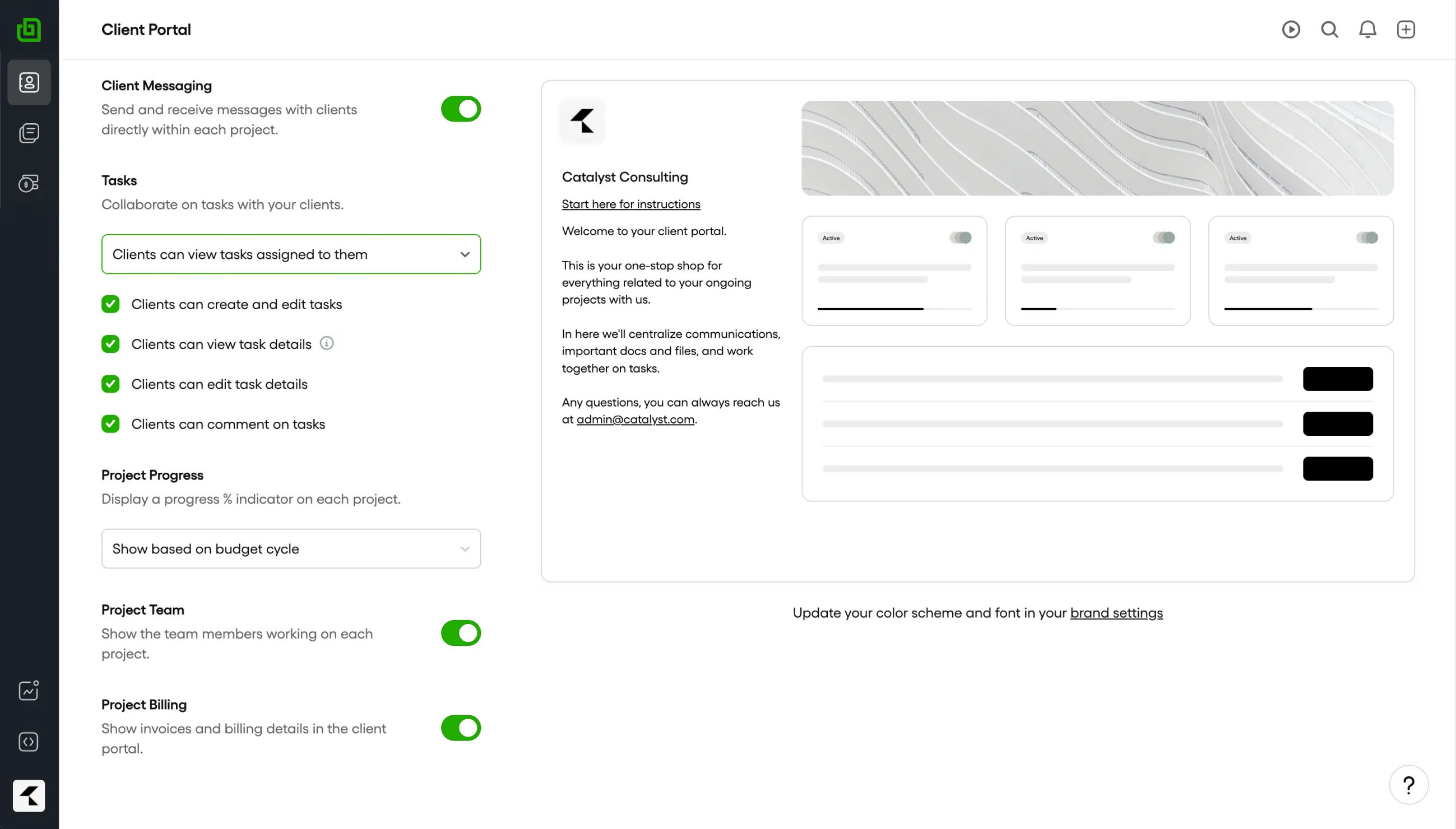
Why it made this shortlist
Choose Bonsai when leads, proposals, contracts, projects, time, staffing, budgets, and profit should form one professional-services system. It replaces SuiteDash with a proposal-led system centered on project economics.
What the switch gives up
Bonsai is built around custom engagements and project economics. It is a weaker fit when clients should browse, buy, and buy again from a catalog of repeatable services.
5 of 5
Plutio
Where Plutio fits
Best for small service firms that want proposals, contracts, invoices, and projects in one place. Choose Plutio when one small workspace for proposals, contracts, tasks, time, and invoices matters most.
How Plutio is organized
Plutio puts proposals, contracts, projects, time, inboxes, and invoices in one small workspace.
Main tradeoff
Each service sale still has to become a project. A persistent repeat-purchase workflow is outside the product's center.
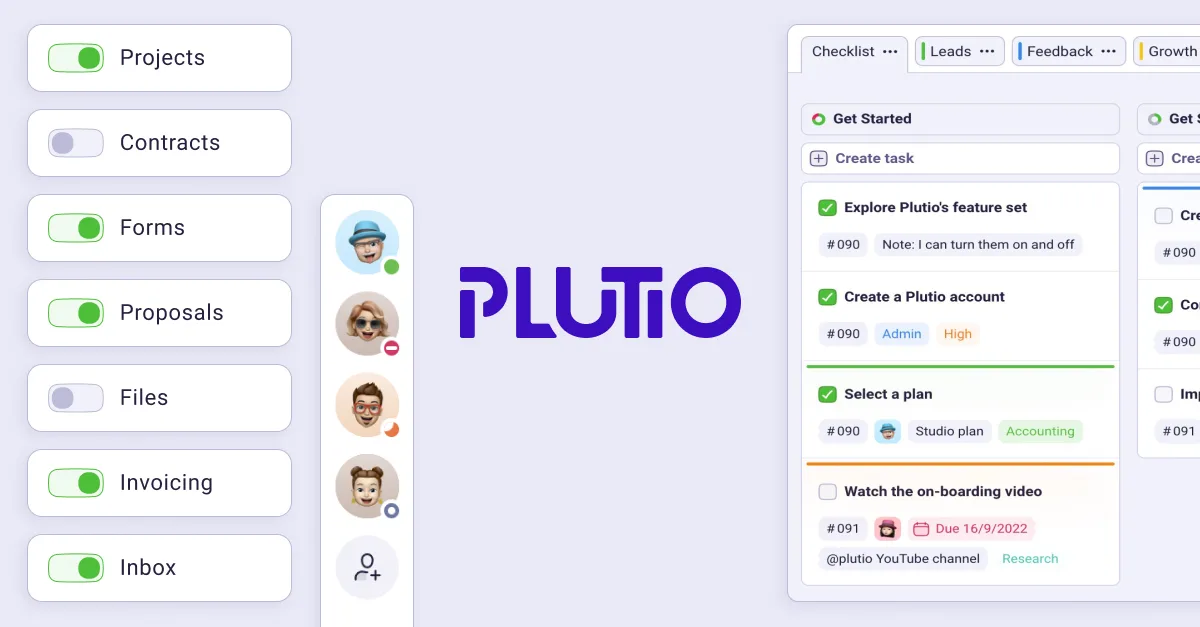
Why it made this shortlist
Choose Plutio when a compact workspace for proposals, contracts, projects, tasks, time, inboxes, and invoices is enough. It can replace the SuiteDash modules a small service firm actually uses.
What the switch gives up
The team still turns each sale into the right project, intake, client access, and follow-up path. A configurable back office remains the organizing model.
How to choose
Decide what the replacement must own
Start by mapping the jobs behind the portal: client records, purchases, intake, projects, tasks, bills, messages, support, and the next sale.
Use the map below to decide whether a broad cross-industry back office or a productized-agency system should own that lifecycle.
Client management and the client record
SuiteDash can keep prospects, clients, custom fields, proposals, invoices, projects, files, and messages in one platform. A small business owner may prefer that single database because it reduces manual entry across multiple tools.
Wayfront keeps services, contacts, intake, projects, tasks, communication, billing, support, and the next sale on the same client record. Permissions control what staff and clients can see.
Create a client with several contacts and two services in each trial. Check what each person can see. Make sure staff can grasp the account without opening several records.
Project management and client work
SuiteDash includes basic project management, task management, task templates, project tracking, time tracking, file sharing, and team collaboration. Staff can manage tasks and automated workflows beside the client portal.
Wayfront keeps the client experience focused on the service, communication, files, support, and billing. Staff manage projects and tasks in the same system without exposing internal work to clients.
Run one awkward piece of client work in both products. Include a missed deadline, an internal discussion, a client file, and a scope change. Decide whether clients should log into the same task system staff use or whether delivery detail should stay behind a focused account.
Contracts, invoices, and subscription management
SuiteDash can handle contract management, bills, payment reminders, multiple currencies, and plans. It can also manage subscriptions. That breadth helps a firm that wants one app for custom deals and repeat billing.
Wayfront fits the repeatable offer. The agency can accept payments through its own Stripe or PayPal account, connect service-specific intake to the purchase, and keep subscription management inside the paid client relationship. Proposal-led contracts can stay in the existing sales stack.
Test a custom engagement and a repeatable subscription. Follow the invoice, failed payment, reminder, cancellation, and refund. Choose SuiteDash when varied contract and invoice workflows are central. Choose Wayfront when the defined service should control the commercial path.
Communication and customer support
SuiteDash puts secure messaging, support tickets, alerts, projects, and file sharing in one portal. That creates unified communication when clients log in to SuiteDash for their work.
Wayfront keeps client communication attached to orders and support while letting clients reply from email. That path suits client relationships where the agency needs a complete record but cannot assume every stakeholder will return to portal chat.
Send the same question, attachment, and customer support request through both products. Add a second client contact and an internal note. The right SuiteDash alternative is the one that preserves context without asking staff to copy messages between communication tools.
Branding, domains, and the interface clients see
SuiteDash supports custom branding, a custom domain, white label controls, and a mobile app. Its interface exposes many features because CRM, projects, billing, files, marketing, and support all belong to the same business management product.
Wayfront gives the agency its own domain and a focused client experience around services. Pro customers can edit the source templates behind client-facing pages when the standard structure needs deeper changes.
Ignore claims about an intuitive interface until a real client has tried it. Ask the client to find current work, billing, a support path, and another service without instruction. A useful interface makes the business model and required setup visible.
Automation and ongoing ownership
SuiteDash links CRM, proposals, bills, projects, access, and messages. The team still owns the client onboarding flow and the rules for managing workflows because the product serves many kinds of business.
That learning curve is justified when the agency wants all the tools in one platform and has someone responsible for workflow automation. It becomes expensive when no owner maintains the rules or the agency only needs a repeatable service path.
List every rule, custom field, task template, and role the agency must build. Name who will keep them current. Choose the system the team can maintain without a part-time admin job.
How Wayfront works
One purchased service drives the client journey
Wayfront starts with the service. That service connects checkout, intake, access, billing, client messages, and delivery.
This fits an agency that wants a defined purchase to trigger the correct intake and client experience. SuiteDash remains the better fit when the goal is to configure a broad back office for many kinds of service business.
5+ tools
replaced in one switch
Customer proof · MobiLoud
MobiLoud moved to Wayfront in one week. The switch replaced more than five tools used across its client operation.
Read the customer story1. Sell
Turn the sale into a client account
A paid service keeps the client, line items, bill, and service context together. Wayfront connects to the agency's own Stripe or PayPal account.
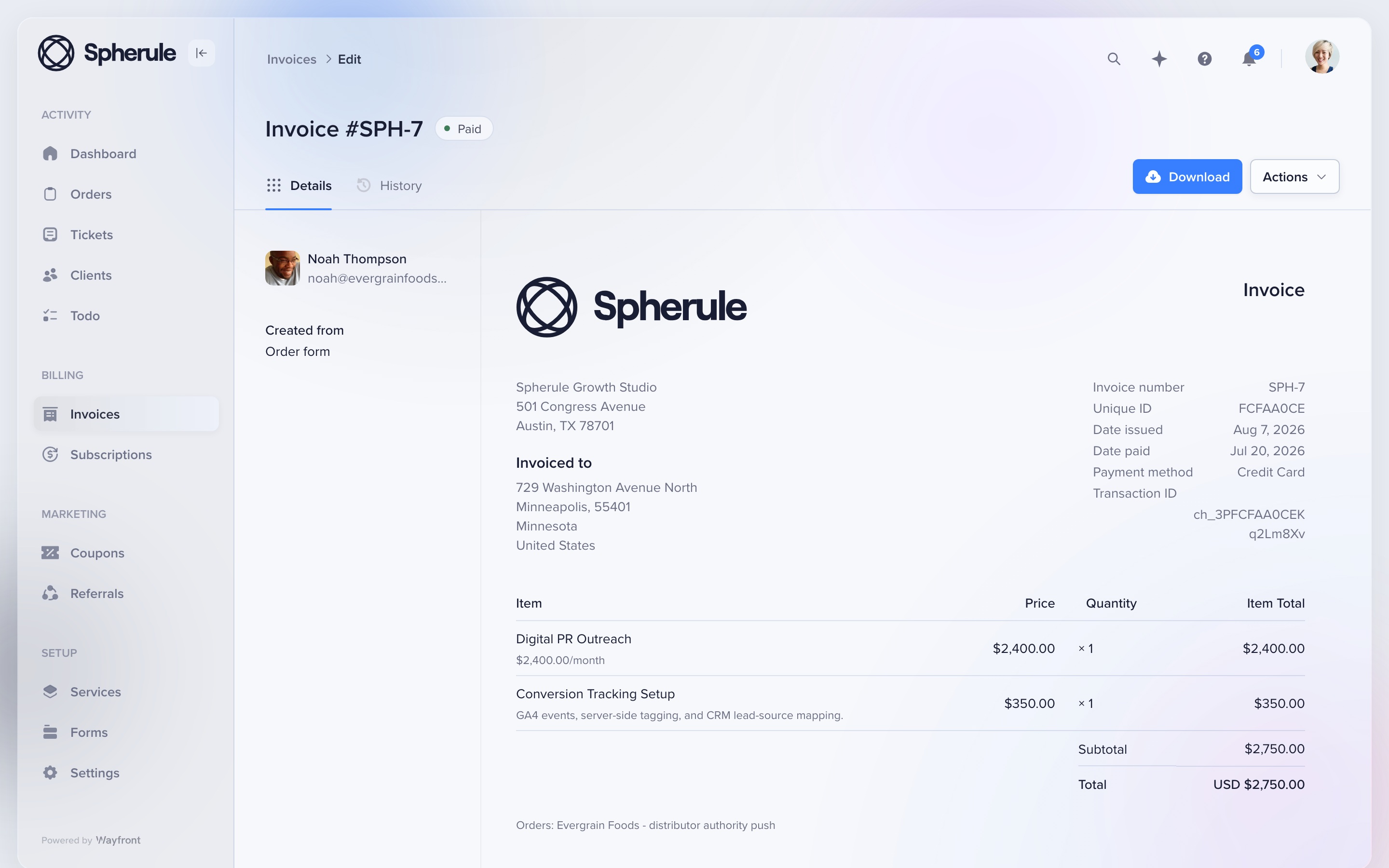
This redesigned invoice shows a recurring digital PR service and conversion-tracking add-on in one client record. The agency keeps control of its payment account, payouts, refunds, and disputes.
2. Onboard
Collect only the intake this service needs
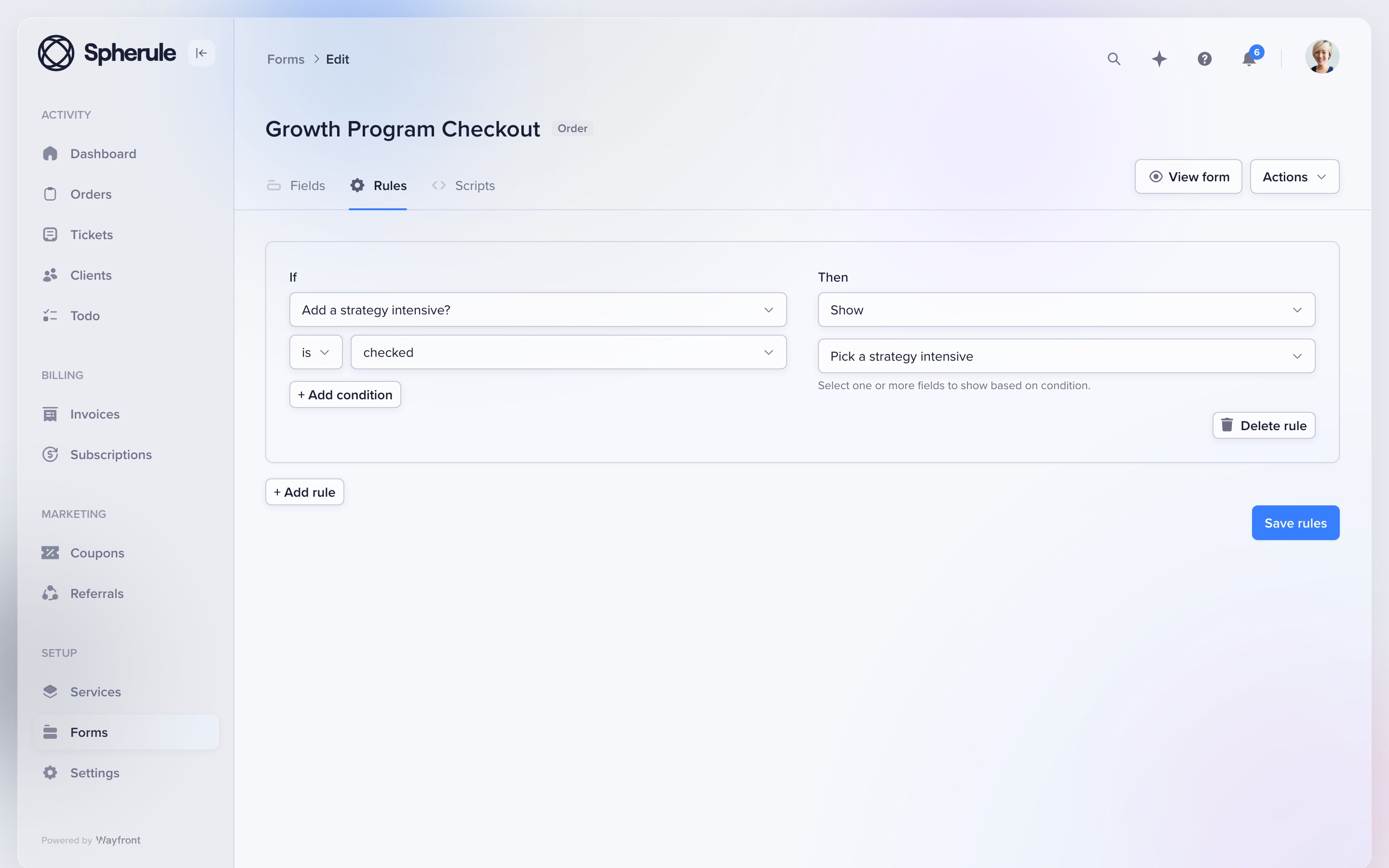
Give each service its own form. Conditional rules can show the next question based on the client's earlier answers.
Attach the form to the service before launch. A local SEO package, podcast plan, and landing page can each ask for different facts. The resulting project, tasks, owners, and client access stay tied to the purchase.
3. Communicate
Let clients choose the portal or email
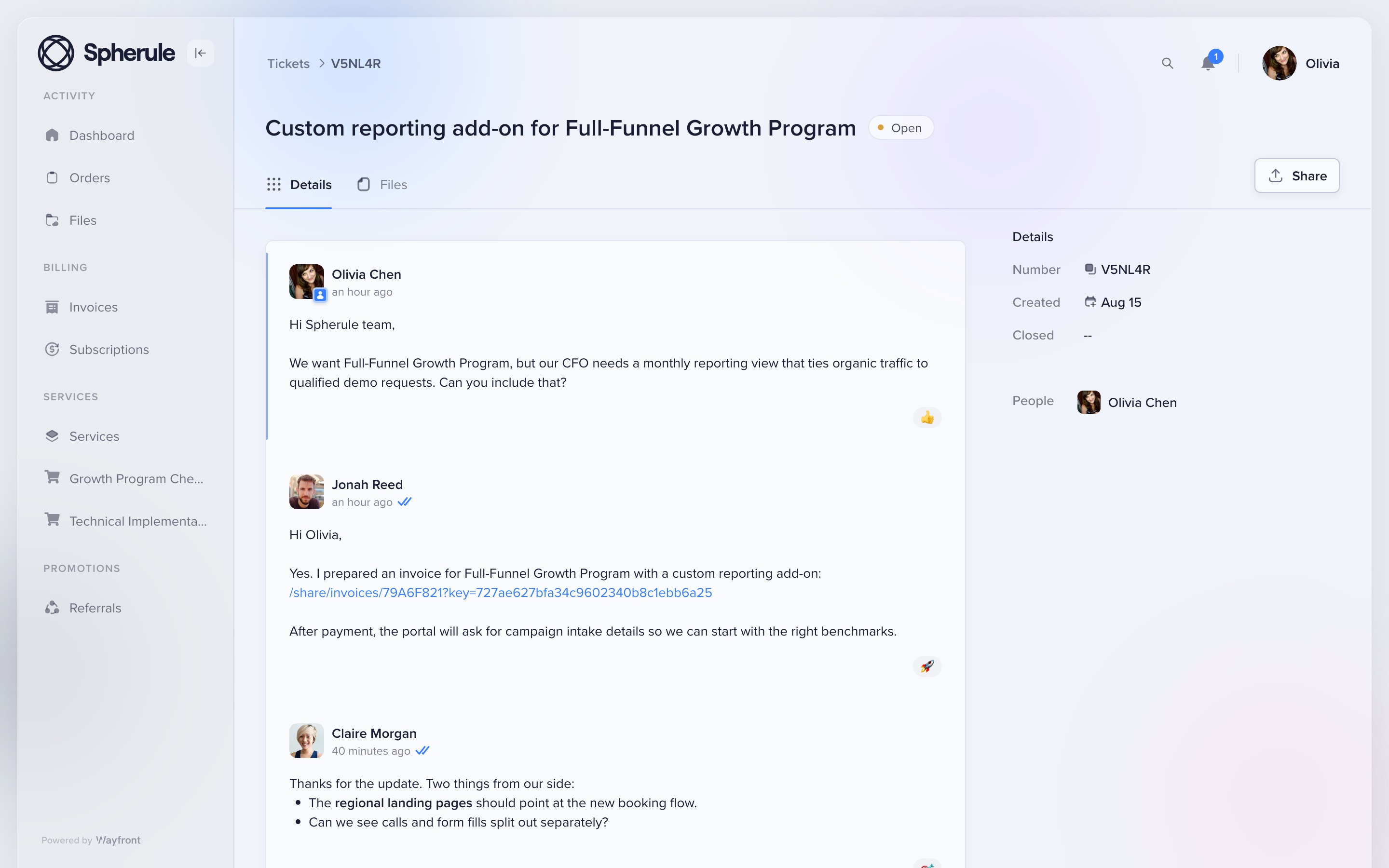
Clients can reply from their inbox or from the portal. Orders, files, tickets, bills, and current work stay under the same account.
This redesigned portal thread shows the conversation attached to the client account. Email replies return to the correct order or support ticket, so the team keeps one clear record.
4. Grow
Make the next sale easier
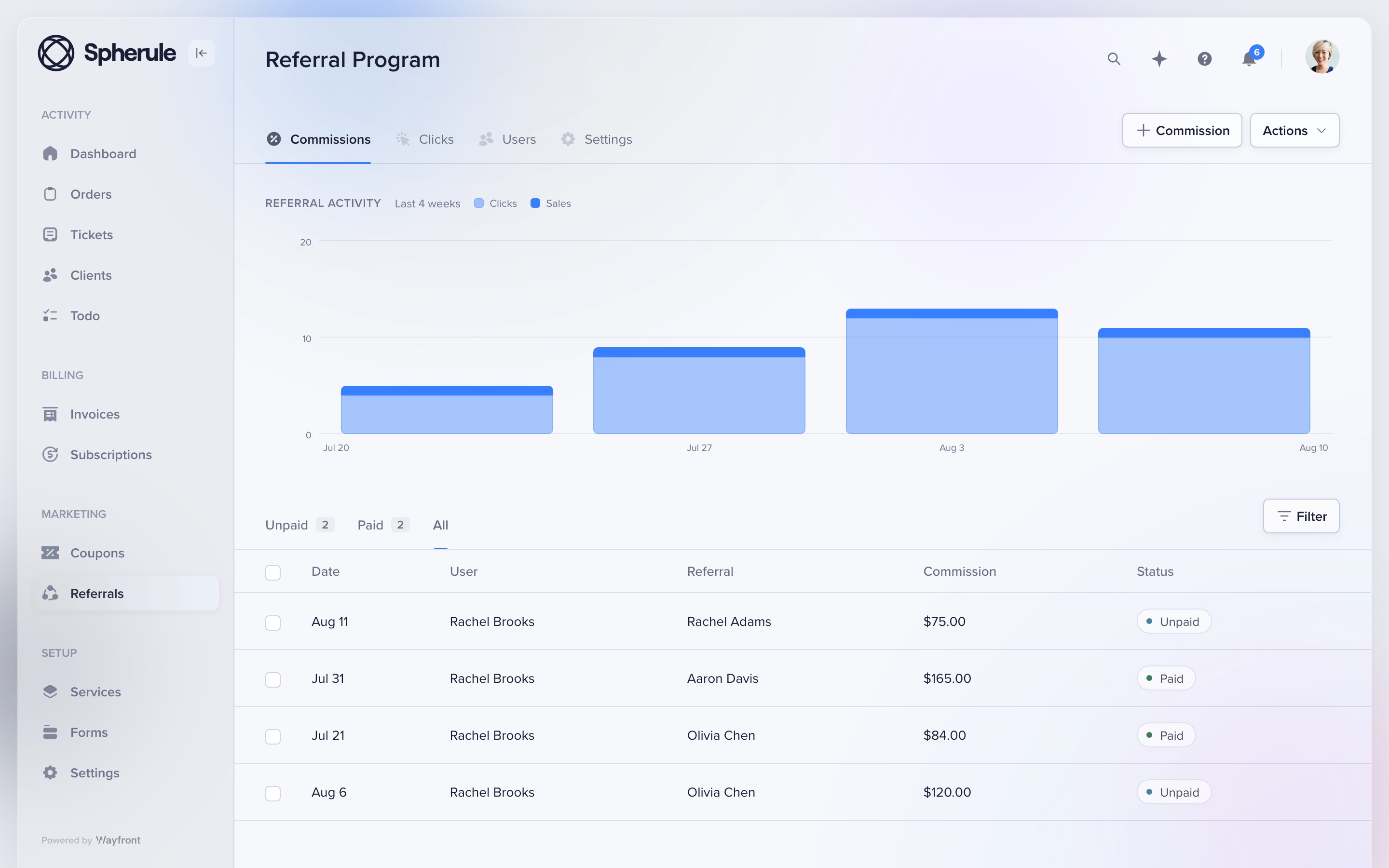
Keep repeat sales, referrals, and reseller work in the paid client account. The portal stays useful after the first job is done.
A client can buy again or refer a new buyer. An agency partner can resell an approved service from its own workspace. Each sale stays tied to the right client or partner.
Where Wayfront stops
Know the boundary
Wayfront is built for repeatable productized services. It is a poor fit for bespoke work that must be scoped, proposed, and priced from scratch for every client. Teams that need Gantt charts, time tracking, or deep resource planning may still want a specialist planning tool.
Before you buy
Run 3 tests with a real service and client
A feature grid hides the handoffs. These tests show what the agency and client must do next.
Buy the same real service
Use the same scope, price, options, and intake for each option you are seriously considering. If a tool needs a separate checkout or delivery system, include it in the test and count every manual handoff.
Deliver one awkward request
Change scope, add a file, reply from email, ask for support, and issue a refund. Check which staff and client records keep the full history without a manual rescue.
Sell the next service
Ask the same client to buy again, renew, refer a buyer, or purchase through a partner. The second sale exposes whether the product runs a client relationship or only the first transaction.
Switching
Move 1 service first
List the SuiteDash modules used by one active service, then rebuild the client journey around that service. Move the service, intake, billing rules, active client records, and current files first.
1. Separate the back office from the client relationship
List the SuiteDash modules the team uses. Mark each one as custom sales, internal work, accounts, or client-facing work.
Move only the last group first. Keep the remaining SuiteDash jobs in place until each one has a deliberate new home.
2. Rebuild one proven service
Build the offer, checkout, intake, client access, messages, and billing path for one repeatable service. Use a service with active clients and known edge cases.
Run the old and new paths side by side through one billing cycle. Move the rest after the team has handled a purchase, failed payment, client reply, and repeat order.
How this comparison was checked
SuiteDash product, pricing, workflow, and portal documentation reviewed August 2026. We compared who each tool serves, what clients see, how payments work, and what happens after the sale.
For another perspective, read SuiteDash user reviews on G2.
SuiteDash alternative FAQs
Choose Wayfront when repeatable services should connect checkout, intake, client communication, support, and another sale. Choose Assembly when each client needs a custom app workspace.
Yes, but the operator must connect its CRM, proposals, billing, projects, portal pages, and automation modules into that flow. Test the upkeep as well as the initial setup.
Keep it when one low-cost back office must replace several administrative tools and the team is willing to own the configuration.
Move one active service, its intake, billing rules, client access, current files, and open work. Leave unused modules and old automations behind.
Comparing a wider set of portal categories? Read our guide to the best client portal software for productized agencies.
