


The short answer
Best Clinked alternatives at a glance
Wayfront connects service purchases, delivery, support, and repeat sales inside the client account. Clinked is a better fit when clients primarily need secure workspaces, file sharing, permissions, and branded mobile access.
-
Wayfront
Best for: Agencies selling repeatable productized services. Wayfront connects purchase, intake, projects, tasks, communication, billing, support, and the next sale in one permissioned account.
-
Assembly
Best for: Firms that need to build custom apps for each client. Most plans cap active contacts, payouts reconcile through Stripe Express, and client sales carry a 0.3% to 1.5% billing-method fee.
-
SuiteDash
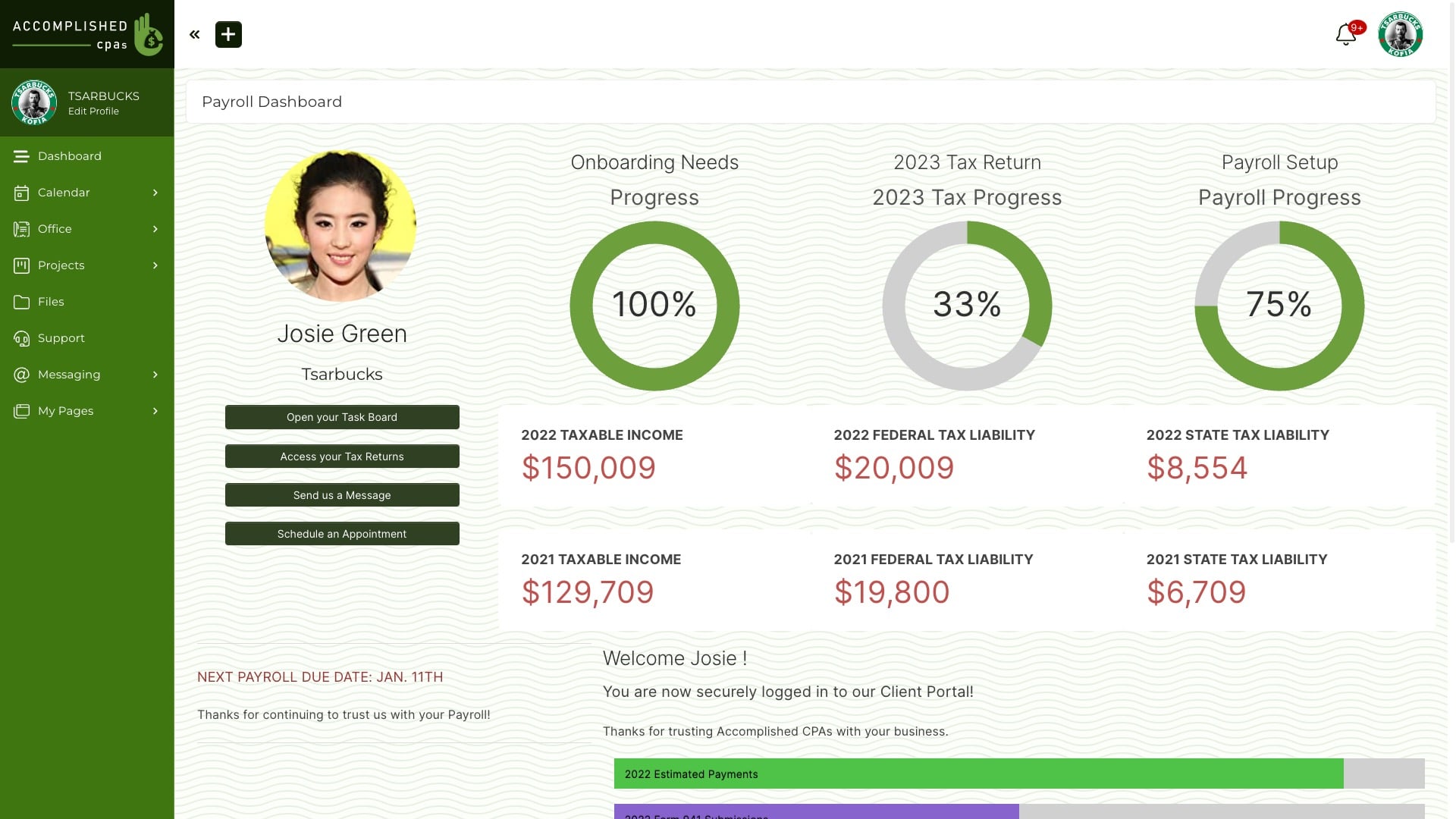
Best for: Businesses that want one low-cost back office. The agency must connect and maintain CRM, proposals, invoices, projects, files, portal pages, and automation. In our August 2026 review, the current interface looked dense and dated.
-
Zendo
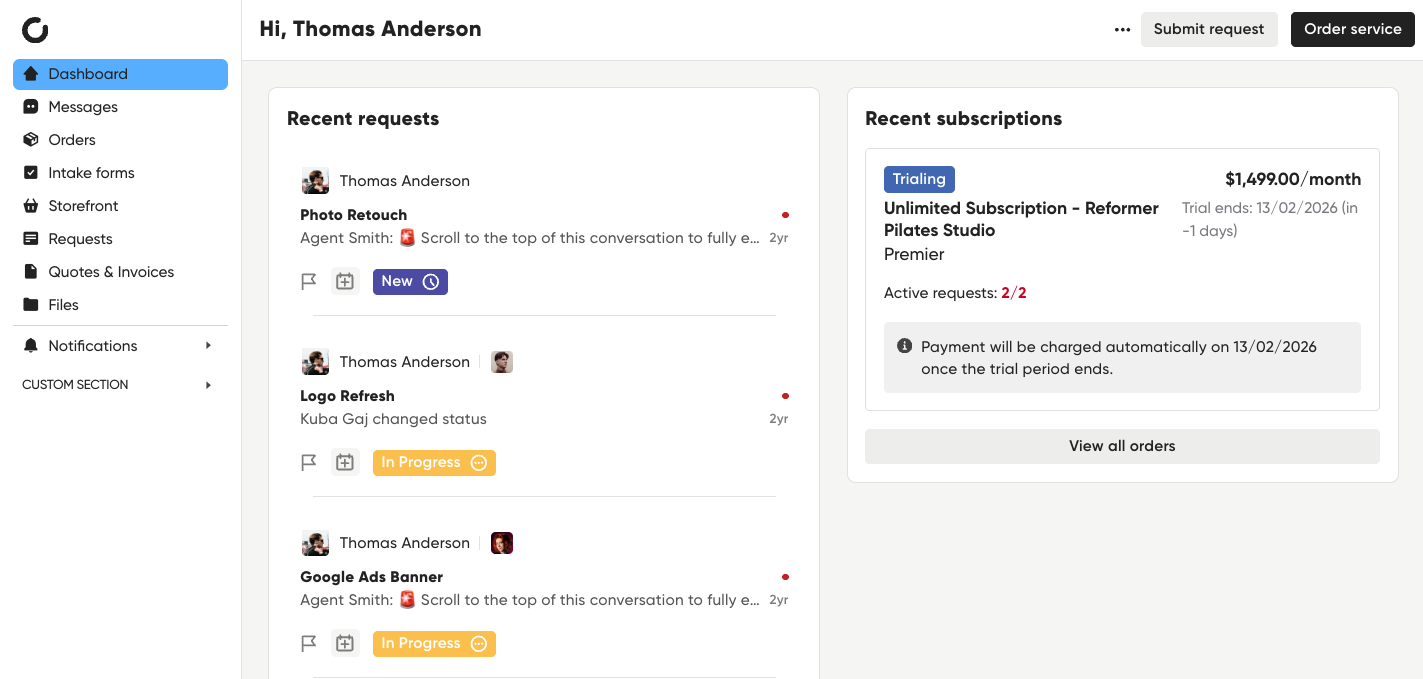
Best for: Service teams that want a storefront, client dashboard, and request-led delivery. Client work stays centered on request threads, and affiliate tracking requires a separate Rewardful or Tapfiliate subscription.
-
Agency Handy
Best for: Agencies that want services, projects, tasks, billing, and support in one operations suite. Established agencies may outgrow its workflow depth around recurring intake, task handoffs, client permissions, billing exceptions, and account expansion.
What you are replacing
Clinked is organized around secure client workspaces
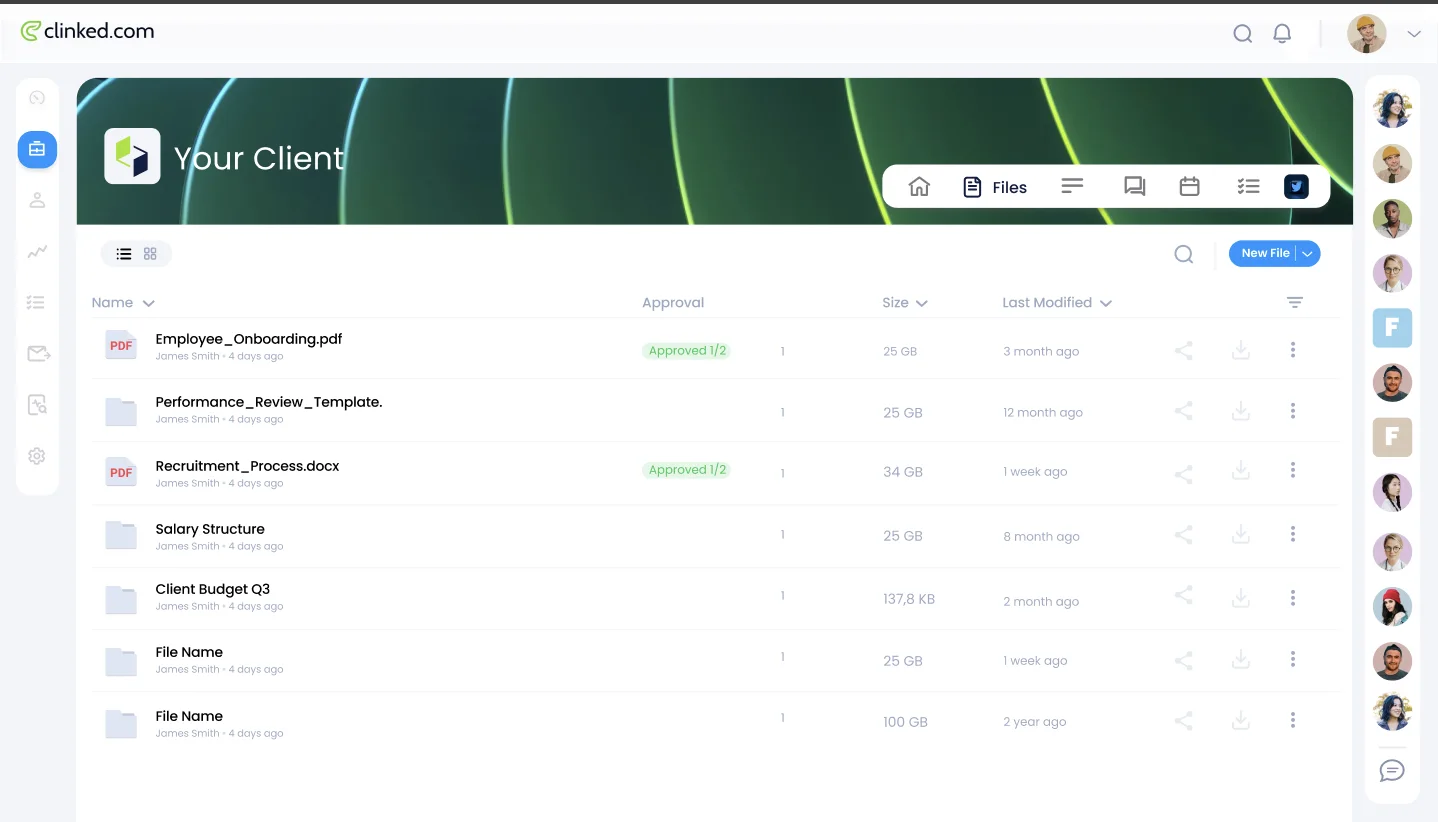
Clinked treats collaboration, document control, permissions, and branded access as the core job. Wayfront treats the repeatable paid service and client account as the core job.
Choose Clinked when
Secure files, client workspaces, permissions, and branded mobile access
Choose Clinked when clients mainly need a safe place to share files and work together.
Choose Wayfront when
Repeatable services should create repeatable revenue
Choose Wayfront when the client portal is the commercial home of a productized agency, from service purchase to the next sale.
Product model
How Clinked actually works
Clinked and Wayfront can both give clients a branded, private place to work with a service provider. They optimize that space for different relationships.
Clinked is a secure workspace built around members, groups, files, talks, tasks, and access. Wayfront is built around the repeatable service and the sales it creates.
Clinked starts with the secure workspace
Clinked gives each group a private place for files, talks, activity, tasks, and shared work. Higher plans add fine access rules, forced two-step login, white-label email, and more brand control.
This fits firms whose clients exchange sensitive documents or need a shared workspace across many participants. The workspace remains useful regardless of how the engagement was sold or billed.
Its pricing follows collaboration capacity
Clinked's Standard plan includes 100 members and 1 TB of storage. Premium includes 250 members and 3 TB. It also adds roles, forced two-step login, white-label email, and file upload on a custom domain.
Enterprise moves to 1,000 or more members and 5 TB or more of storage, with options for SSO, SLAs, a white-label mobile app, and data-center choice. The cost model follows participation, storage, and security depth.
Wayfront prices around agency team capacity and the commercial client relationship. Model the people who need Clinked access and the staff who need to operate Wayfront separately.
Service commerce sits outside the Clinked center
Clinked can show branded content and connect a firm with clients. Its product centers on shared work, files, access rules, and safe access. Another system must begin the sale of a repeatable service.
Wayfront links the catalog, checkout, intake, delivery, bills, support, repeat sales, referrals, and resellers to the paid account. That narrower model matters when the portal helps the agency sell.
The operating difference in 3 parts
Core object
Clinked: Clinked organizes clients into secure groups and workspaces with files, discussions, tasks, and activity.
Wayfront: Wayfront organizes the relationship around the services a client buys and the commercial workflow attached to them.
Client experience
Clinked: Clinked centers collaboration, access controls, document management, and white-label web or mobile access.
Wayfront: Wayfront centers service checkout, intake, delivery, support, repeat buying, referrals, and reseller relationships.
Best-fit buyer
Clinked: Clinked fits firms whose clients need a secure shared workspace regardless of how the service was sold.
Wayfront: Wayfront fits agencies whose repeatable offer should determine how the client is sold, onboarded, served, and expanded.
The full shortlist
The 5 best Clinked alternatives
Each tool does a different job. Choose based on what should happen after a client pays.
1 of 5
Wayfront
Where Wayfront fits
Best for agencies selling repeatable productized services. Wayfront connects purchase, intake, projects, tasks, communication, billing, support, and the next sale in one permissioned account.
Main tradeoff
Custom work that starts with a proposal needs its own sales process.
2 of 5
Assembly
Where Assembly fits
Best for firms that need to build custom apps for each client. Choose Assembly when client apps, contracts, custom homepages, permissions, and mixed types of work belong in one workspace.
How Assembly is organized
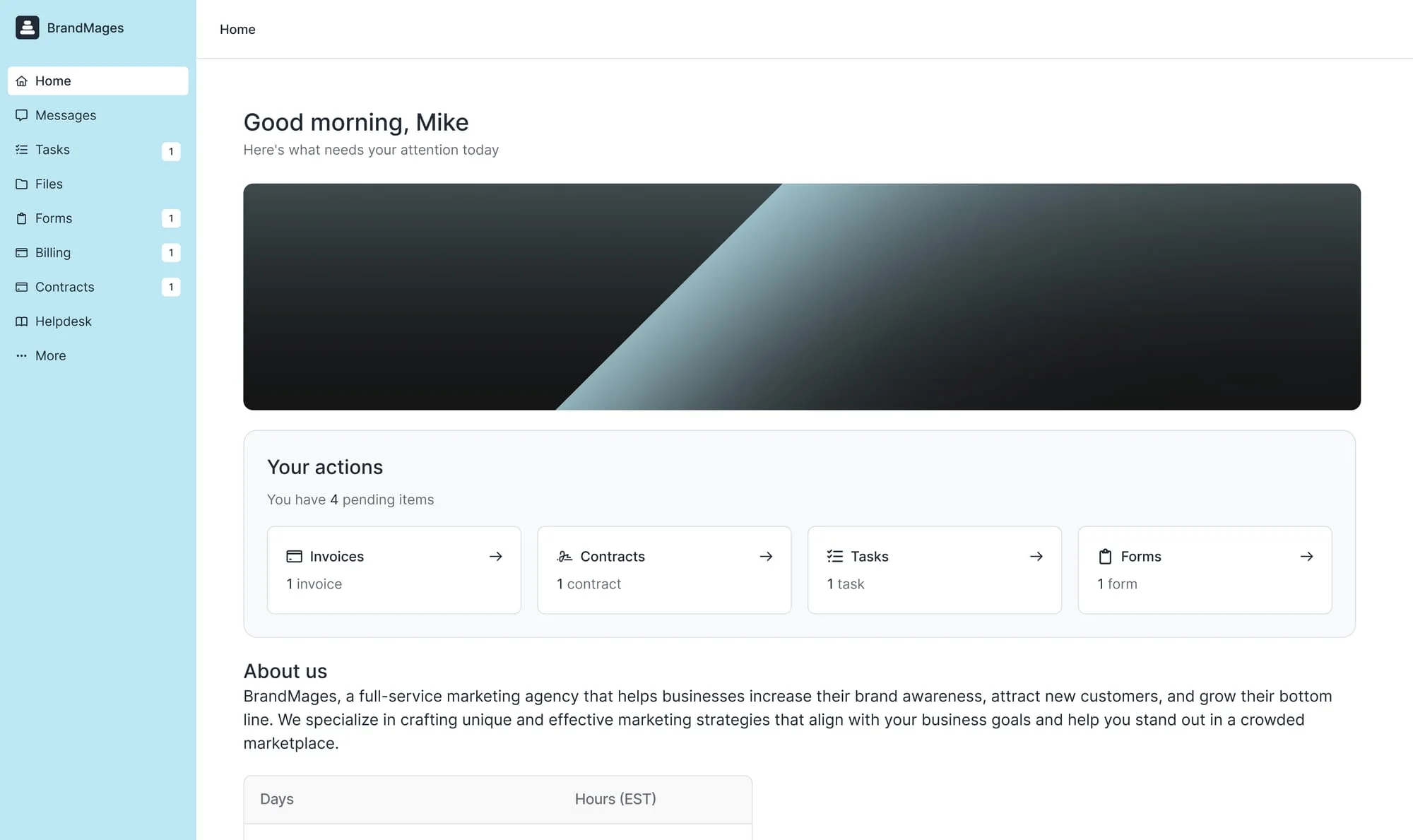
Assembly begins with a client workspace. The firm builds apps, pages, contracts, messages, files, billing, and a service store around each account.
Main tradeoff
Most plans cap active contacts, payouts reconcile through Stripe Express, and client sales carry a 0.3% to 1.5% billing-method fee.
Why it made this shortlist
Choose Assembly when the replacement should add configurable client apps, service sales, contracts, billing, and a store to the branded workspace. It expands beyond Clinked's collaboration center.
What the switch gives up
The trade is a more complex commercial product with active-contact limits and Stripe Express Store payouts. Teams that only need secure files and discussions may be buying extra machinery.
3 of 5
SuiteDash
Where SuiteDash fits
Best for businesses that want one low-cost back office. Choose SuiteDash when one Swiss Army knife must cover CRM, projects, billing, files, portals, proposals, and rules.
How SuiteDash is organized
SuiteDash spreads CRM, proposals, invoices, projects, files, portal pages, and rules across a broad back office. The team decides how they should connect.
Main tradeoff
The agency must connect and maintain CRM, proposals, invoices, projects, files, portal pages, and automation. In our August 2026 review, the current interface looked dense and dated.
Why it made this shortlist
Choose SuiteDash when the replacement must add CRM, proposals, invoices, projects, portal pages, email, and automation around client collaboration. It can replace more office tools than Clinked.
What the switch gives up
The interface and setup are heavier. Clinked limits its role to secure document sharing and client groups.
4 of 5
Zendo
Where Zendo fits
Best for service teams that want a storefront, client dashboard, and request-led delivery. Choose Zendo when the storefront, dashboard, and request conversation should stay at the center of client work.
How Zendo is organized
Zendo gives each client a persistent dashboard, then organizes delivery through requests with intake, files, status, chat, and checklists.
Main tradeoff
Client work stays centered on request threads, and affiliate tracking requires a separate Rewardful or Tapfiliate subscription.
Why it made this shortlist
Choose Zendo when the replacement needs a storefront, subscriptions, client dashboard, payment requests, and request-led delivery. It adds a commercial path outside Clinked's secure-collaboration model.
What the switch gives up
The client experience becomes centered on logged-in orders and requests. Clinked is a better fit when the portal should remain a secure collaboration and document space.
5 of 5
Agency Handy
Where Agency Handy fits
Best for agencies that want services, projects, tasks, billing, and support in one operations suite. Choose Agency Handy when the client portal and internal project operation should live in one suite.
How Agency Handy is organized
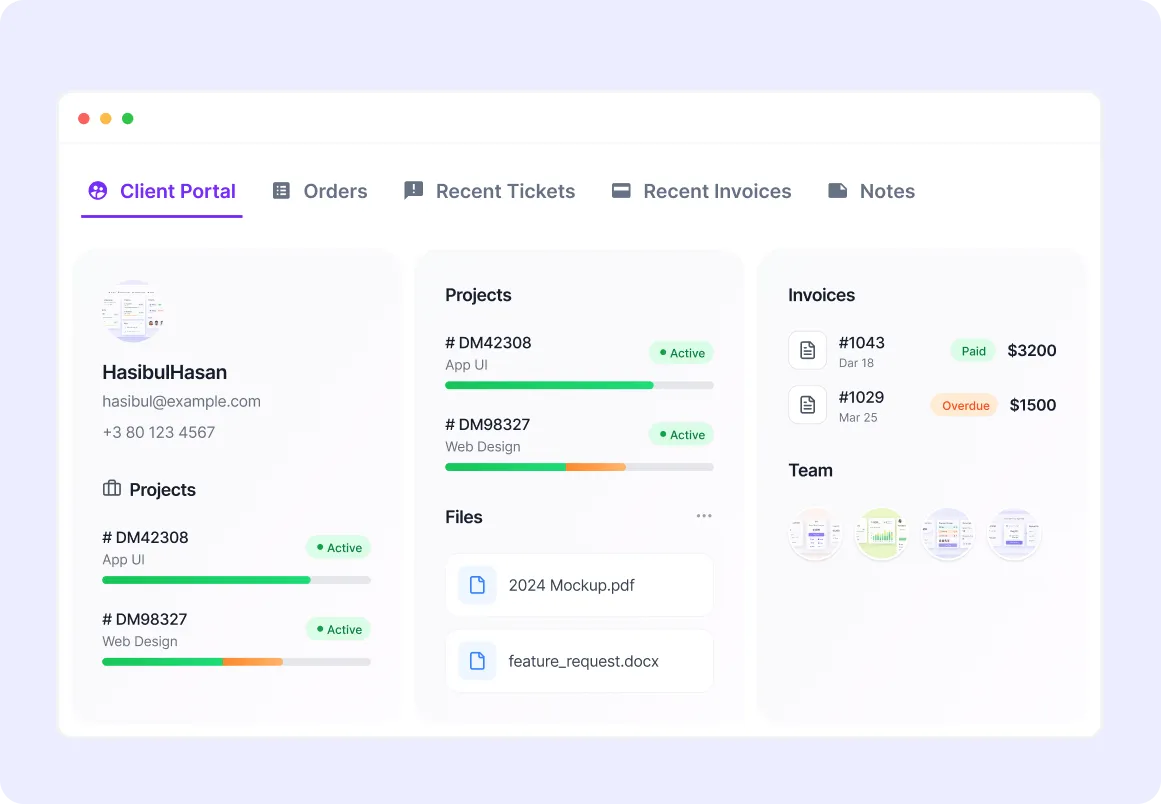
Agency Handy connects leads, services, orders, projects, tasks, invoices, tickets, files, and approvals in one agency operations suite.
Main tradeoff
Established agencies may outgrow its workflow depth around recurring intake, task handoffs, client permissions, billing exceptions, and account expansion.
Why it made this shortlist
Choose Agency Handy when services, orders, projects, tasks, invoices, tickets, files, and the client portal should live in one agency suite. It adds both commerce and internal work to the Clinked replacement.
What the switch gives up
The sacrifice is Clinked's focused secure-workspace model. A full operations suite fits when the agency wants broader administration; a document-centered extranet fits when secure collaboration is the core.
How to choose
Decide what the replacement must own
Clinked alternatives include secure client portals, project management platforms, business suites, and service systems. The labels overlap, but the jobs differ.
Map access, files, client work, branding, team size, and ownership before moving data.
Security, access, and document control
Clinked centers secure file sharing, secure messaging, activity, and access control. Firms can create private groups where clients and internal team members share work.
Verify enterprise-grade security with a checklist. Test forced two-step login, roles, SSO, SLAs, data-center choice, and mobile access in the plan you would buy. Choose Clinked when document sharing, client data, and access rules define the client relationship.
Wayfront protects the paid account, files, messages, bills, and services. Firms with strict rules should test both products against those exact access needs.
Projects, tasks, and collaboration
Clinked includes talks, tasks, files, activity, and shared client work. Teams can run projects with clients in the same place and use it as a light task layer.
Clinked fits firms whose clients work inside shared files and workspaces. Roles can keep private staff material away from the areas clients see.
Wayfront creates projects and tasks from the service a client buys, then uses permissions to separate staff work from the client view. Teams that need Gantt charts, time tracking, or deep resource planning can add a specialist planning tool.
Communication and the durable client record
Clinked keeps client messages inside groups, discussions, alerts, and shared files. It can manage client communication well when clients already use the secure workspace.
Wayfront keeps messages with orders and support. Clients can reply from email. The account links services, files, bills, repeat sales, referrals, and reseller work.
Test a message, file, second client contact, and private note. The portal should keep context without making staff copy the same message.
Branding, portal pages, and mobile access
Clinked supports a custom domain, brand controls, white-label portal tools, and native mobile apps on some plans. Large teams can ask about a custom portal, price, or deeper mobile branding.
Wayfront gives agencies a branded portal for paid services. Pro customers can edit page templates when layout, words, or actions need to change.
Build the actual white label client portal before comparing. A user friendly interface matters when clients can find files, current work, communication, billing, and the next action without training. Test the same tasks in every client portal platform on the shortlist.
Members, clients, and the cost model
Clinked pricing follows members, storage, and plan capabilities. The number of people inside client and team workspaces matters more than a broad promise such as unlimited clients or unlimited projects.
Wayfront prices by agency team size. Client firms and contacts belong to the service account. Staff seats cover the people who run it.
Count staff, client contacts, storage, domain needs, mobile use, and security rules. Compare the plan that can run the real client process.
Automation, integrations, and existing tools
Clinked can sit beside other tools. The safe workspace may face clients while the team uses Airtable, Google Sheets, project software, and other tools behind it.
Wayfront connects checkout, intake, support, billing, and repeat sales inside the commercial account. Workflow automation can pass service events to internal tools, but integrations should not be confused with built-in AI agents.
List all the tools, duplicated data, and manual handoffs in the current business process. Choose Clinked when secure collaboration is the core. Choose Wayfront when the paid service and future revenue should define the portal.
How Wayfront works
The paid service comes before the secure workspace
Wayfront builds the client account around what was bought, how work starts, how the client replies, and what they can buy next.
This fits an agency whose repeatable offer defines the client journey. Clinked remains the better fit when secure files, granular permissions, branded workspaces, and mobile collaboration are the main requirements.
Reseller network
built into the service model
Customer proof · Podblade
Podblade sells podcast editing through agency partners with Wayfront.
Read the customer story1. Sell
Turn the sale into a client account
A paid service keeps the client, line items, bill, and service context together. Wayfront connects to the agency's own Stripe or PayPal account.
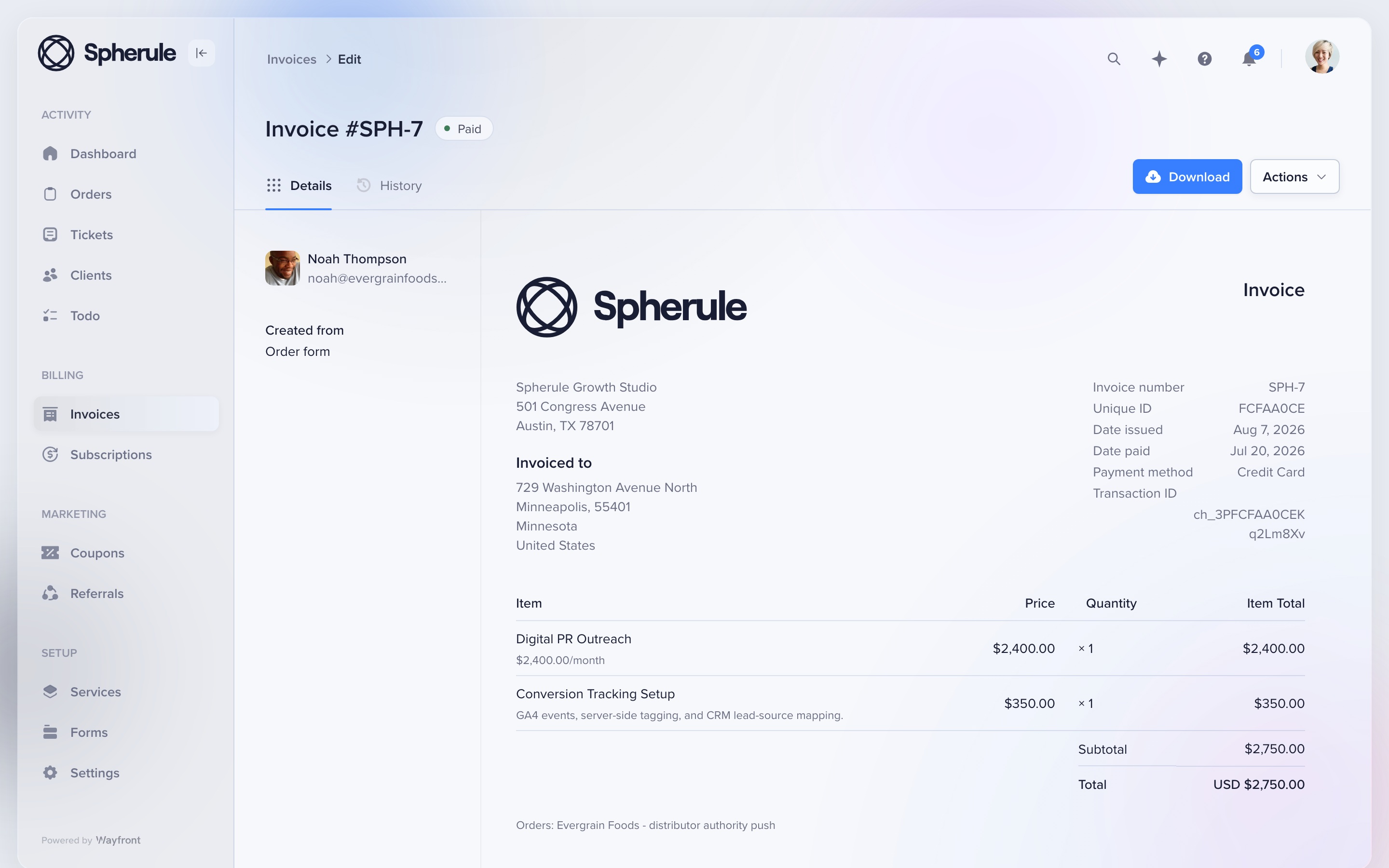
This redesigned invoice shows a recurring digital PR service and conversion-tracking add-on in one client record. The agency keeps control of its payment account, payouts, refunds, and disputes.
2. Onboard
Collect only the intake this service needs
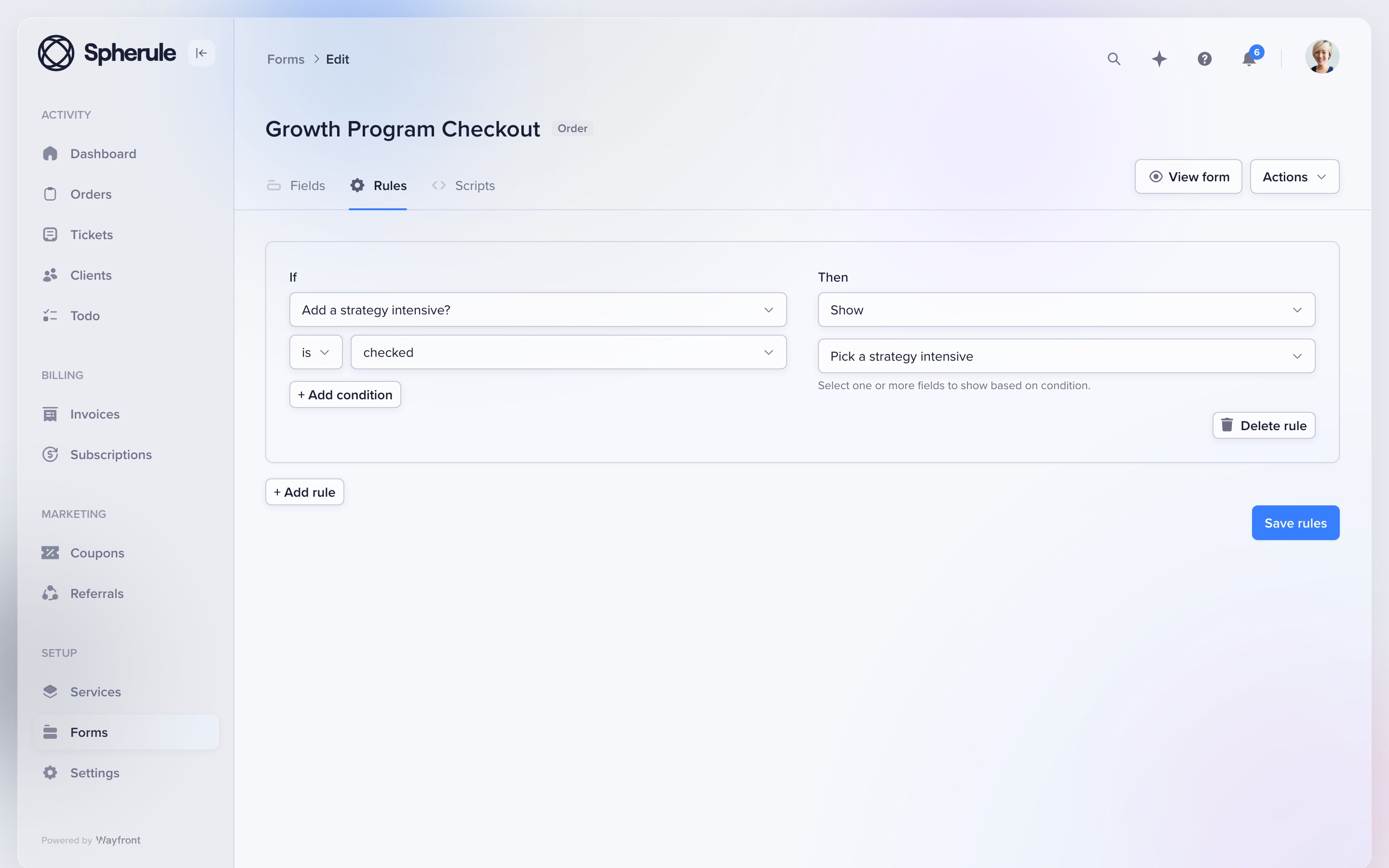
Give each service its own form. Conditional rules can show the next question based on the client's earlier answers.
Attach the form to the service before launch. A local SEO package, podcast plan, and landing page can each ask for different facts. The resulting project, tasks, owners, and client access stay tied to the purchase.
3. Communicate
Let clients choose the portal or email
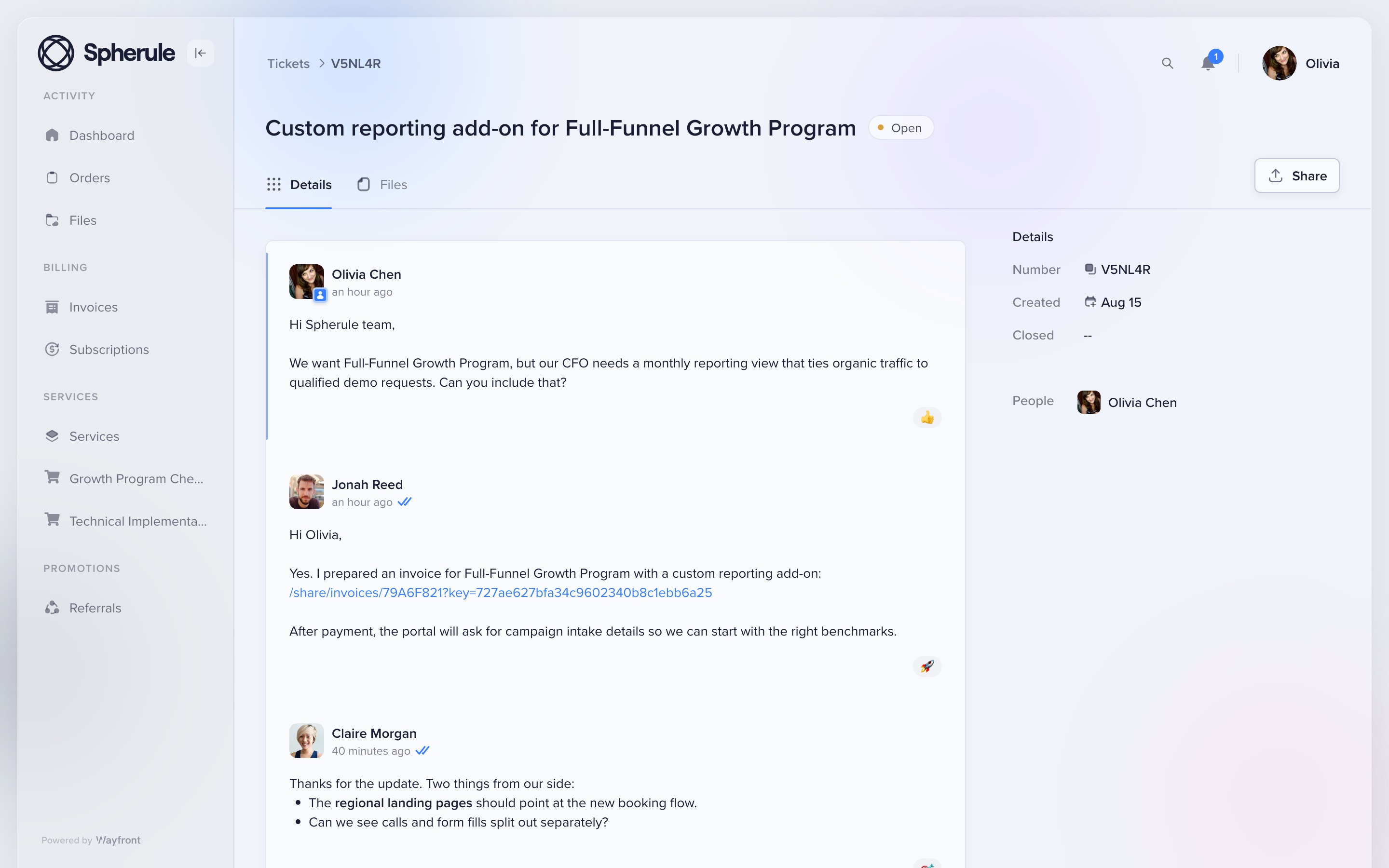
Clients can reply from their inbox or from the portal. Orders, files, tickets, bills, and current work stay under the same account.
This redesigned portal thread shows the conversation attached to the client account. Email replies return to the correct order or support ticket, so the team keeps one clear record.
4. Grow
Make the next sale easier
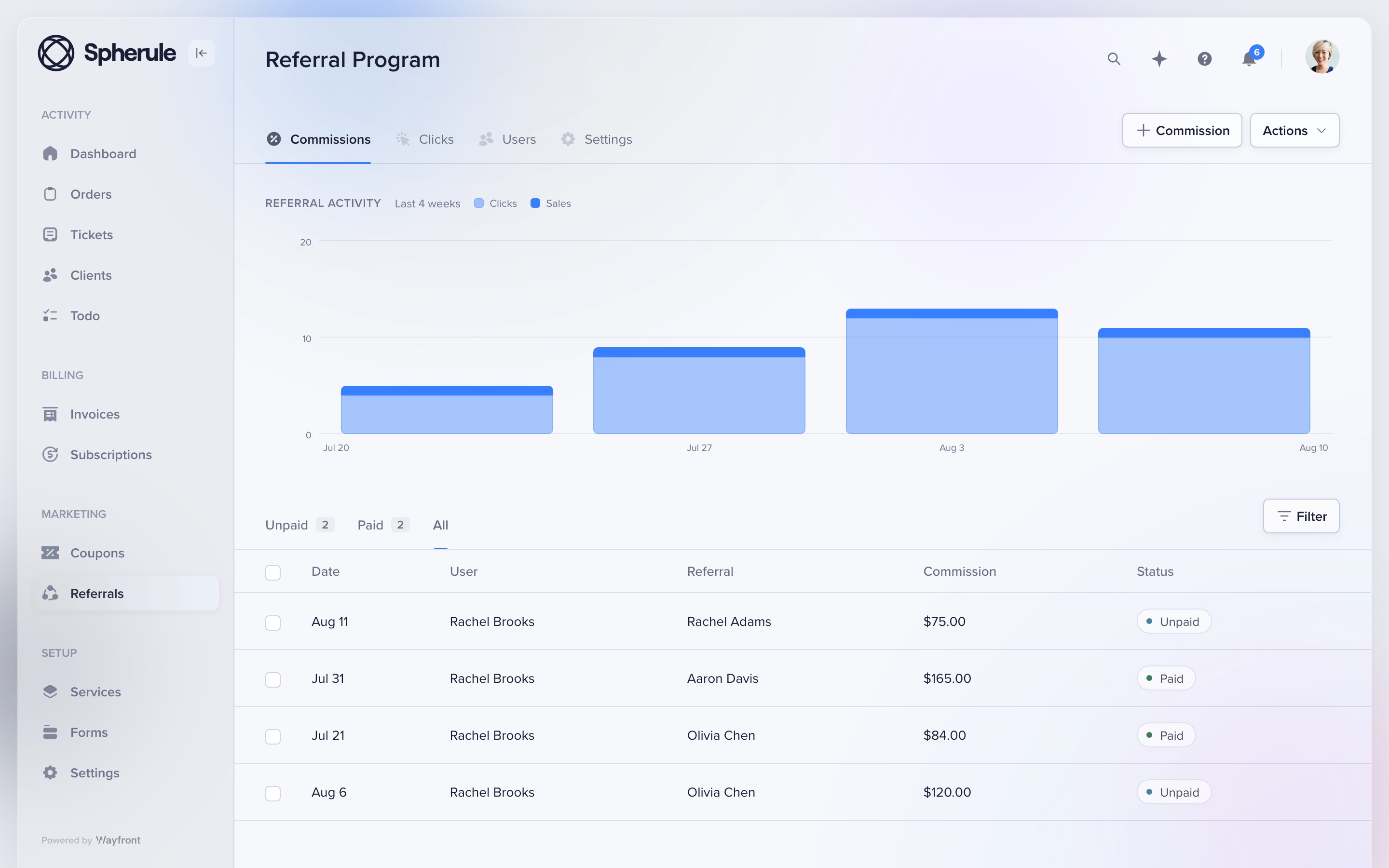
Keep repeat sales, referrals, and reseller work in the paid client account. The portal stays useful after the first job is done.
A client can buy again or refer a new buyer. An agency partner can resell an approved service from its own workspace. Each sale stays tied to the right client or partner.
Where Wayfront stops
Know the boundary
Wayfront is built for repeatable productized services. It is a poor fit for bespoke work that must be scoped, proposed, and priced from scratch for every client. Teams that need Gantt charts, time tracking, or deep resource planning may still want a specialist planning tool.
Before you buy
Run 3 tests with a real service and client
A feature grid hides the handoffs. These tests show what the agency and client must do next.
Buy the same real service
Use the same scope, price, options, and intake for each option you are seriously considering. If a tool needs a separate checkout or delivery system, include it in the test and count every manual handoff.
Deliver one awkward request
Change scope, add a file, reply from email, ask for support, and issue a refund. Check which staff and client records keep the full history without a manual rescue.
Sell the next service
Ask the same client to buy again, renew, refer a buyer, or purchase through a partner. The second sale exposes whether the product runs a client relationship or only the first transaction.
Switching
Move 1 service first
Map each active Clinked workspace to the paid service it supports. Move the service definition and commercial flow first, then bring over current clients, permissions, files, and open conversations.
1. Map workspaces to services
For each Clinked group, list the paid service, people, private files, access rules, and open work. Keep spaces that have no service match.
Build the commercial service and account in Wayfront before moving any client-facing history.
2. Move only appropriate data
Move current files, contacts, bills, messages, and open work. Keep private archives in the system that can enforce their access rules.
Give clients one clear instruction for where to buy, reply, and get support. Keep a second secure workspace only when policy or collaboration needs justify it.
How this comparison was checked
Clinked client-portal, collaboration, white-label, permissions, and mobile product pages reviewed August 2026. We compared who each tool serves, what clients see, how payments work, and what happens after the sale.
For another perspective, read Clinked user reviews on G2.
Clinked alternative FAQs
Wayfront fits agencies that need checkout, intake, client communication, support, and repeat purchases. Zendo fits teams that want a storefront and request-led delivery.
Keep it when secure documents, client groups, discussions, approvals, and branded workspaces are the core job of the portal.
Its secure collaboration model leaves the service catalog, checkout, subscriptions, and repeat sales to a separate commercial layer.
Move one active client workspace with its current files, permissions, contacts, and discussion history. Test access before changing where clients sign in.
Comparing a wider set of portal categories? Read our guide to the best client portal software for productized agencies.
