


The short answer
Best HoneyBook alternatives at a glance
Wayfront connects a repeatable service purchase to intake, delivery, support, and the next sale. HoneyBook is a better fit when each client journey begins with an inquiry, booking, contract, and custom project.
-
Wayfront
Best for: Agencies selling repeatable productized services. Wayfront connects purchase, intake, projects, tasks, communication, billing, support, and the next sale in one permissioned account.
-
Dubsado
Best for: Service firms that build a custom sales path for each project. The proposal, contract, invoice, and custom project remain the center, so productized services inherit a bespoke clientflow.
-
Bonsai
Best for: Custom projects that start with a proposal. The operating model stays organized around proposals, contracts, and projects. Repeatable service sales inherit that custom-project administration.
-
SuiteDash
Best for: Businesses that want one low-cost back office. The agency must connect and maintain CRM, proposals, invoices, projects, files, portal pages, and automation. In our August 2026 review, the current interface looked dense and dated.
-
Productive
Best for: teams that manage staff, budgets, workload, and profit. Project economics come first. Self-serve service sales, referrals, reseller orders, and repeat buying need another system.
What you are replacing
HoneyBook is built to book the project. Wayfront is built to repeat the service.
HoneyBook organizes inquiries, Smart Files, contracts, invoices, scheduling, and projects around a booking. Wayfront starts later. The agency has packaged its expertise and wants the client to buy, receive, and buy again through one account.
Choose HoneyBook when
Small businesses turning leads into booked custom projects
Choose HoneyBook when each client starts with an inquiry, booking, contract, and custom project.
Choose Wayfront when
Repeatable services should create repeatable revenue
Choose Wayfront when a defined service, paid client account, and repeat sale define the operating model.
Product model
How HoneyBook actually works
HoneyBook now covers more than proposals and invoices. Its contact tools, Smart Files, portal, pipeline, and rules can carry a buyer from inquiry through booking and client work.
The project is still the center. HoneyBook calls its portal the client-facing view of a project. Its pipeline follows that project from inquiry to completion.
Wayfront starts later in the sale. The agency has already set the service, price, intake, and buying path. That service becomes the center of the paid client account.
HoneyBook begins with a lead and project
A HoneyBook lead form can create a contact and project with less manual entry. It can set custom fields, a project type, and a lead source, then add tags, alert the team, and start a rule. The visual dashboards track specific projects from inquiry to booking and completion.
This fits businesses that qualify each opportunity before deciding what to sell. The project exists while scope, timing, price, and terms are still being worked out.
A Smart File can close the booking
HoneyBook Smart Files can join service choice, questions, booking, contract templates, a bill, and payment. Customizable templates let a buyer choose, sign, book, and pay through one document.
Reusable file templates speed up repeated bookings, while a project-specific Smart File can still be changed for one client. That balance suits services with a familiar sales sequence and a scope that may change before the client books.
The HoneyBook portal follows each project
Clients can see activity, messages, shared files, invoice files, shared notes, and selected project details. A client attached to several projects can switch between them from the portal.
Clients cannot create new HoneyBook files, open internal tasks or automations, or schedule a meeting from the portal itself. Scheduling happens through a shared Smart File or scheduler link.
Automations keep the project moving
HoneyBook automations can start from a lead form, project event, session type, file template, or other trigger. They can send emails and files, create tasks, wait for an event, and branch on conditions.
Pipeline automations can also move a project when a contract is sent, signed, or paid. The model is useful when the business wants a configurable clientflow around every project.
Pricing plans change how much of the flow sits in HoneyBook
HoneyBook lists Starter at $29, Essentials at $49, and Premium at $109 per month when billed yearly. Each plan has a free trial. Starter includes unlimited clients and projects, bills, contracts, a calendar, templates, the portal, and HoneyBook AI.
Essentials adds booking, rules, QuickBooks Online, and up to 2 team members. Premium adds unlimited team members, priority support, several companies, and deeper reports.
HoneyBook states that card payment processing fees start at 2.7% plus 10 cents, while bank transfers cost 1.5%. Test online payments, payment plans, refunds, and payout timing with the real service before moving client billing.
The operating difference in 3 parts
Commercial model
HoneyBook: HoneyBook fits inquiry-led businesses that qualify a lead and send a client-specific Smart File or invoice.
Wayfront: Wayfront fits agencies publishing defined services that clients can purchase directly.
Client journey
HoneyBook: The clientflow follows inquiry, booking, documents, scheduling, and a project workspace.
Wayfront: The service purchase controls intake, delivery context, support, billing visibility, and the next purchase.
Growth path
HoneyBook: HoneyBook helps an independent business book and manage more projects.
Wayfront: Wayfront also turns paid client accounts into repeat purchases, referral relationships, and reseller distribution.
The full shortlist
The 5 best HoneyBook alternatives
Each tool does a different job. Choose based on what should happen after a client pays.
1 of 5
Wayfront
Where Wayfront fits
Best for agencies selling repeatable productized services. Wayfront connects purchase, intake, projects, tasks, communication, billing, support, and the next sale in one permissioned account.
Main tradeoff
Custom work that starts with a proposal needs its own sales process.
2 of 5
Dubsado
Where Dubsado fits
Best for service firms that build a custom sales path for each project. Choose Dubsado when custom sales and project workflows matter more than a service catalog.
How Dubsado is organized
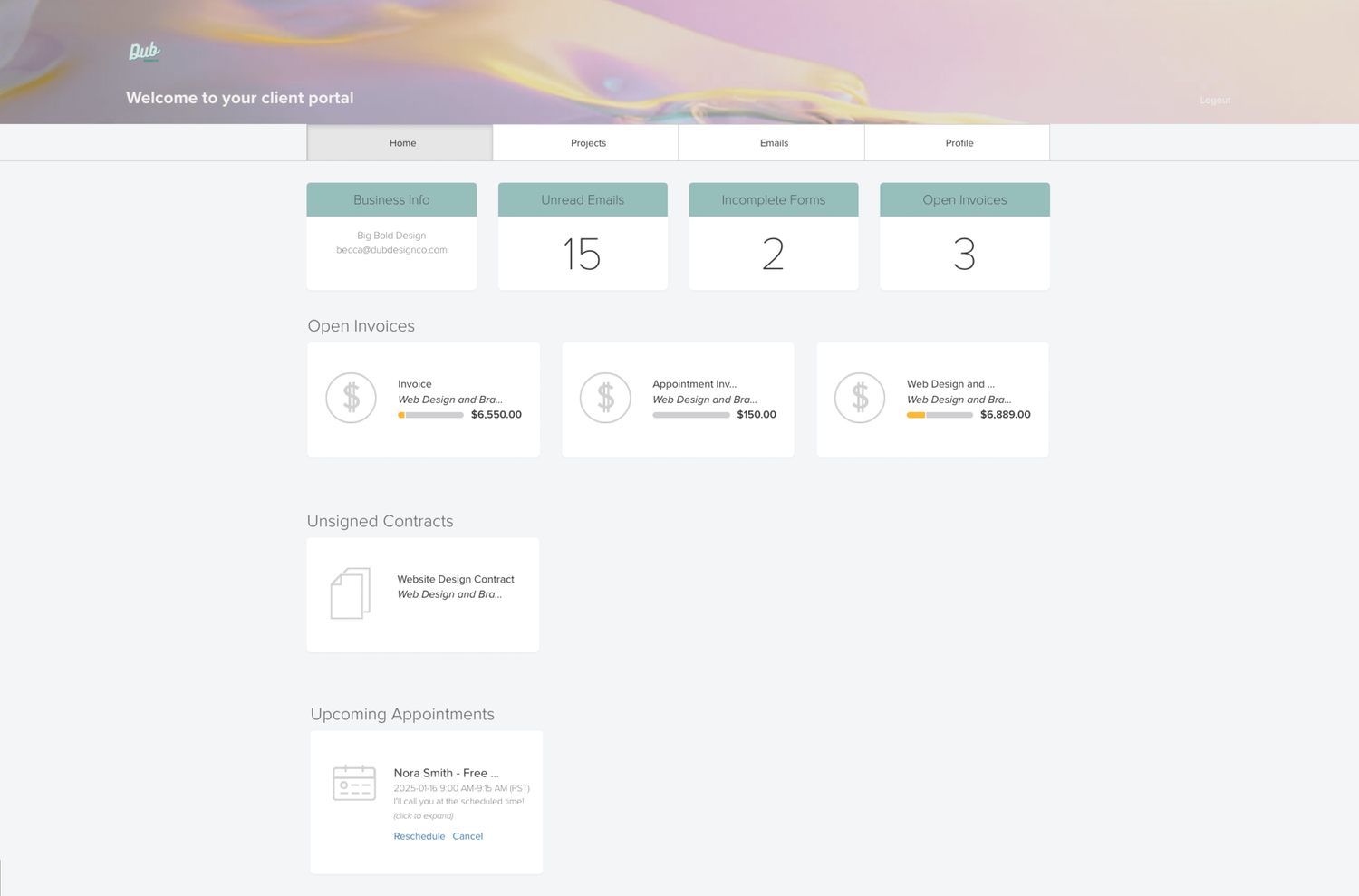
Dubsado takes a lead through booking, a proposal, contract, invoice, forms, and project rules.
Main tradeoff
The proposal, contract, invoice, and custom project remain the center, so productized services inherit a bespoke clientflow.
Why it made this shortlist
Choose Dubsado when the replacement needs more control over lead forms, proposals, contracts, schedulers, client portals, and automated workflows. It suits bespoke journeys with more exceptions.
What the switch gives up
That control requires more setup and upkeep. Choose HoneyBook when its standard inquiry-to-payment clientflow already fits.
3 of 5
Bonsai
Where Bonsai fits
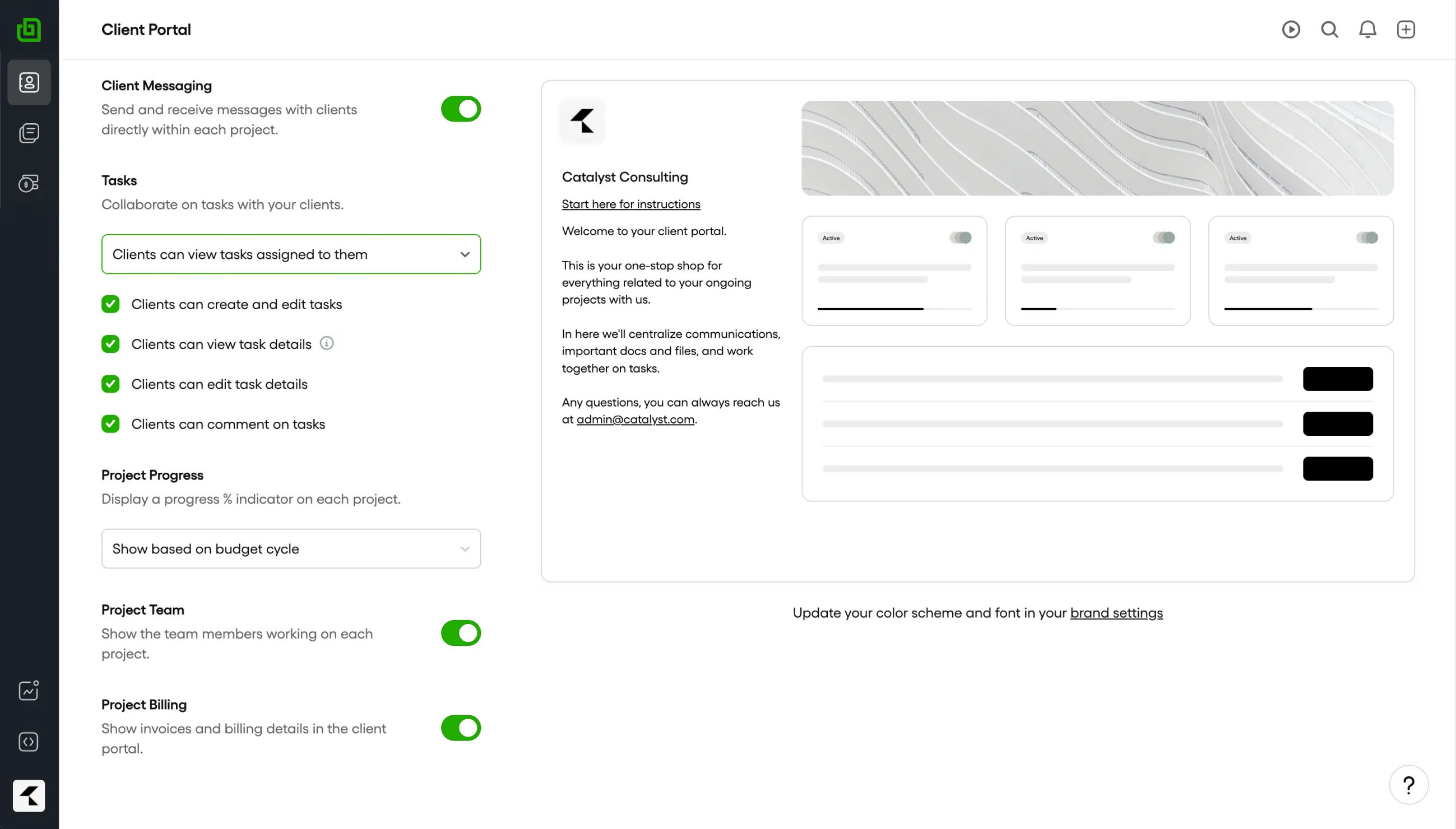
Best for custom projects that start with a proposal. Choose Bonsai when staff time, budgets, workload, contracts, and project profit run the business.
How Bonsai is organized
Bonsai organizes professional services around leads, proposals, contracts, projects, time, budgets, staffing, and profitability.
Main tradeoff
The operating model stays organized around proposals, contracts, and projects. Repeatable service sales inherit that custom-project administration.
Why it made this shortlist
Choose Bonsai when time, staffing, budgets, workload, and profit matter after the contract. It takes more ownership of project work.
What the switch gives up
The product is heavier because it owns more of delivery economics. Independent businesses that mainly need booking, documents, and payment may not use that depth.
4 of 5
SuiteDash
Where SuiteDash fits
Best for businesses that want one low-cost back office. Choose SuiteDash when one Swiss Army knife must cover CRM, projects, billing, files, portals, proposals, and rules.
How SuiteDash is organized
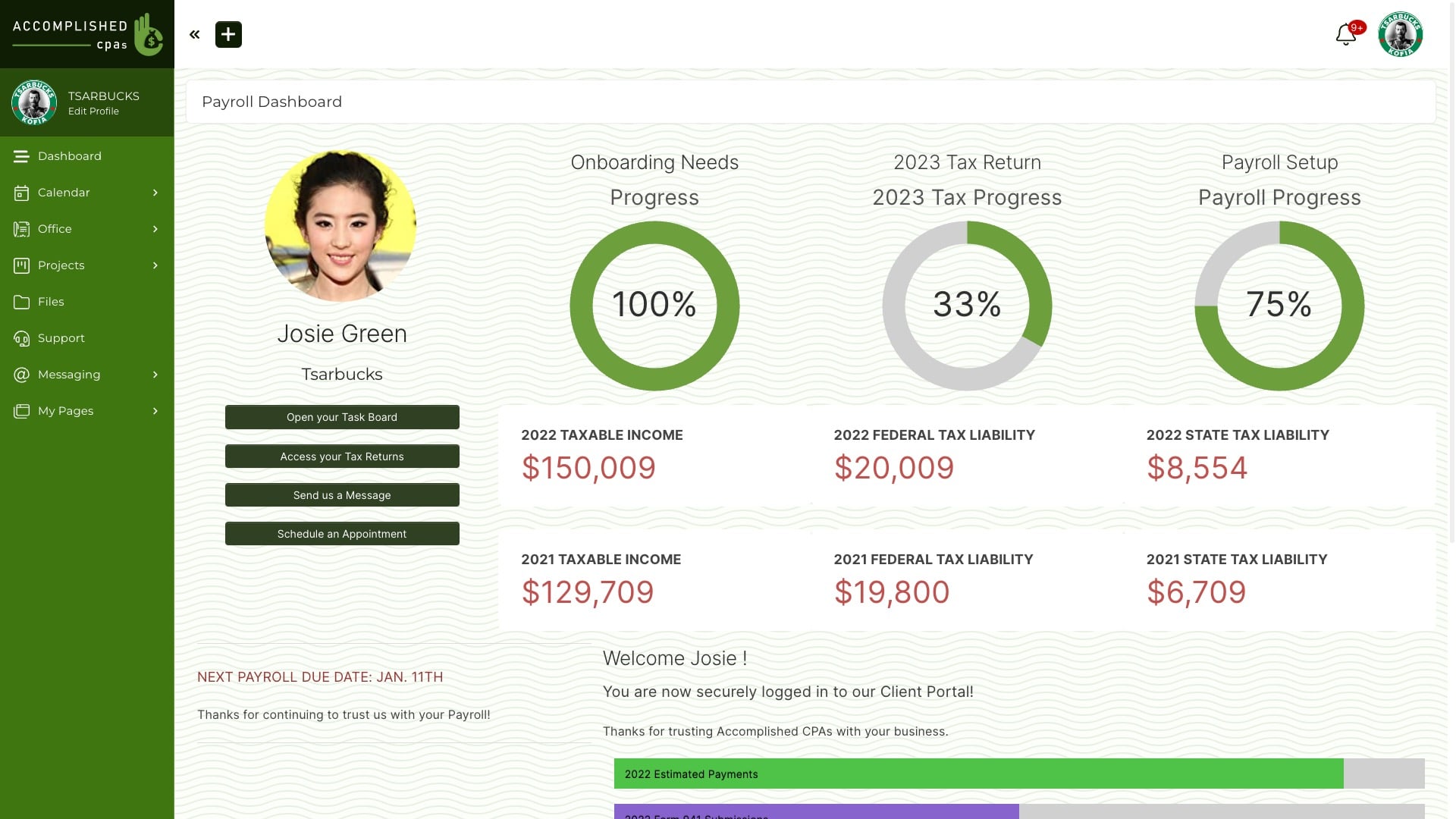
SuiteDash spreads CRM, proposals, invoices, projects, files, portal pages, and rules across a broad back office. The team decides how they should connect.
Main tradeoff
The agency must connect and maintain CRM, proposals, invoices, projects, files, portal pages, and automation. In our August 2026 review, the current interface looked dense and dated.
Why it made this shortlist
Choose SuiteDash when one low-cost back office should replace CRM, proposals, billing, projects, files, portals, email, and automation. It covers more administrative jobs than HoneyBook.
What the switch gives up
SuiteDash covers CRM, proposals, billing, projects, files, portals, email, and automation, so the team must configure more modules. HoneyBook centers booking and clientflow.
5 of 5
Productive
Where Productive fits
Best for teams that manage staff, budgets, workload, and profit. Choose Productive when staff plans, project budgets, workload, and margin run the agency.
How Productive is organized
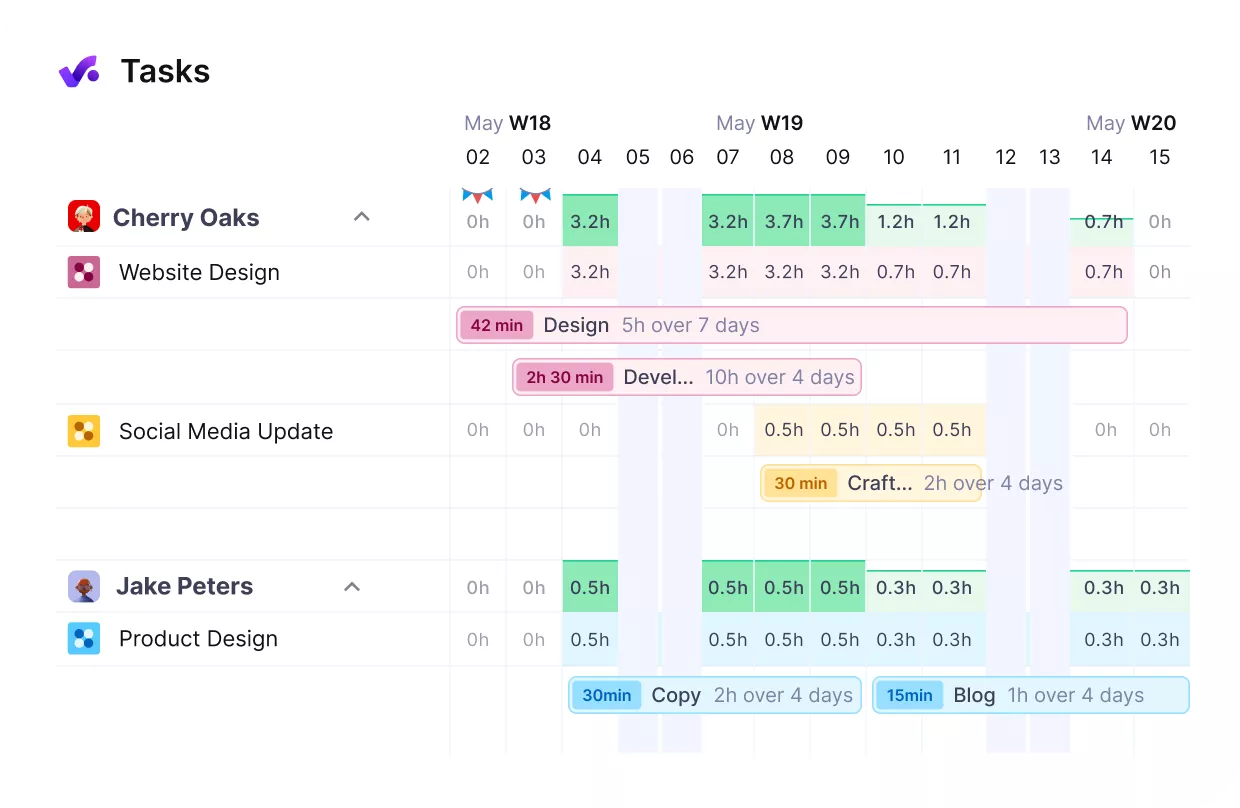
Productive links project work with staff plans, budgets, workload, forecasts, and profit.
Main tradeoff
Project economics come first. Self-serve service sales, referrals, reseller orders, and repeat buying need another system.
Why it made this shortlist
Choose Productive when staff plans, budgets, workload, forecasts, and profit run the agency. It moves the center from booking to internal operations.
What the switch gives up
Productive centers internal operations and project economics. The client journey, checkout, contracts, and repeat purchases need a separate front end.
How to choose
Decide what the replacement must own
The best HoneyBook alternatives solve different parts of client management. Some replace lead capture and booking. Others replace project delivery, the client portal, or the commercial account behind a repeatable service.
Choose the replacement based on the job that needs a new owner: lead capture and booking, project delivery, the client portal, or the commercial account behind a repeatable service.
Compare the systems through the sale the business actually runs. A custom project, a scheduled session, and a repeatable agency service need different starting points.
Lead capture and client relationship management
HoneyBook combines lead forms, contacts, project types, lead sources, tags, alerts, and a visual pipeline. A form can create the contact and project, then start the right follow-up.
This is useful customer relationship management for small business owners who win work through inquiries. The operator can qualify the lead, schedule a call, and decide which booking document to send.
Wayfront begins when the buyer can choose a defined service. Keep custom lead management in a CRM or HoneyBook, then move the paid relationship when the agency no longer needs to negotiate each sale.
Services, proposals, and Smart Files
HoneyBook stores reusable services with names, prices, and structure. A services block lets the client select an option, and those choices can flow into the invoice and contract inside a Smart File.
Smart Files also support questions, text, images, video, booking, e-signatures, and payment. A template can turn the proposal, questions, deal, bill, and checkout into one file.
Wayfront publishes the standardized service itself. The buyer sees the offer, price, options, checkout, and intake as one repeatable buying path. HoneyBook sends a client-specific booking document.
Contracts, invoices, scheduling, and payments
HoneyBook can require a signature or payment before reserving a session. Service selections can update the invoice, while the contract can reflect the selected work and terms.
That sequence fits photographers, consultants, event professionals, and other independent businesses that book a date or custom engagement. The paperwork and calendar are part of the sale.
Wayfront fits an agency offer with a stable price and scope. Checkout connects the agency's own Stripe or PayPal account to service-specific intake, delivery, support, and recurring billing.
Client portal, files, and communication
The HoneyBook portal gives each project a shared client view. Client interactions, file sharing, invoices, and selected client information stay in the project. Clients can move between the projects they can access.
Internal tasks, automations, private notes, the wider pipeline, and other client projects remain hidden. Portal branding changes apply across the whole company.
Wayfront organizes the portal around paid services and the broader account. Clients can also reply from email, while each message returns to the correct order or support ticket.
Pipeline, tasks, and workflow automation
HoneyBook uses pipeline stages to show where projects sit from inquiry to completion. Automations can send files and messages, create internal tasks, wait for a client event, and move a project to another stage.
That gives a small business one clientflow it can shape. Team collaboration around deep work may still need project management tools for task management, linked tasks, workload, staff plans, time tracking, and billable hours.
Wayfront keeps the paid service, project, tasks, client access, billing, communication, and support connected. Staff-only work stays private through permissions.
The operating model after the first booking
Choose HoneyBook when every opportunity becomes a project and the booking process closes the sale. Reusable services and Smart Files reduce setup. The team can still change each client project.
Choose Wayfront after the offer has become a product. Existing clients can purchase again, renew, refer another buyer, or buy through a connected reseller workspace without restarting a proposal-led sales process.
Test the second purchase in both systems. The result shows whether the business needs another booking document or a commercial account built for repeat revenue.
How Wayfront works
Move from booking projects to selling repeatable services
Wayfront gives a productized agency a service catalog and paid client account. The buyer can purchase a set offer, complete its intake, follow the work, get help, and buy again.
HoneyBook fits when every sale begins as an inquiry. The business wins by qualifying, scheduling, and booking a custom project. Wayfront fits when the offer no longer needs that negotiation. Use one live offer and watch what the buyer has to do.
215%
client-base growth
Customer proof · 100 Pound Social
Victoria Lee explains how 100 Pound Social grew its client base by 215%. The agency had moved billing, onboarding, and client management into Wayfront.
Read the customer story1. Sell
Turn the sale into a client account
A paid service keeps the client, line items, bill, and service context together. Wayfront connects to the agency's own Stripe or PayPal account.
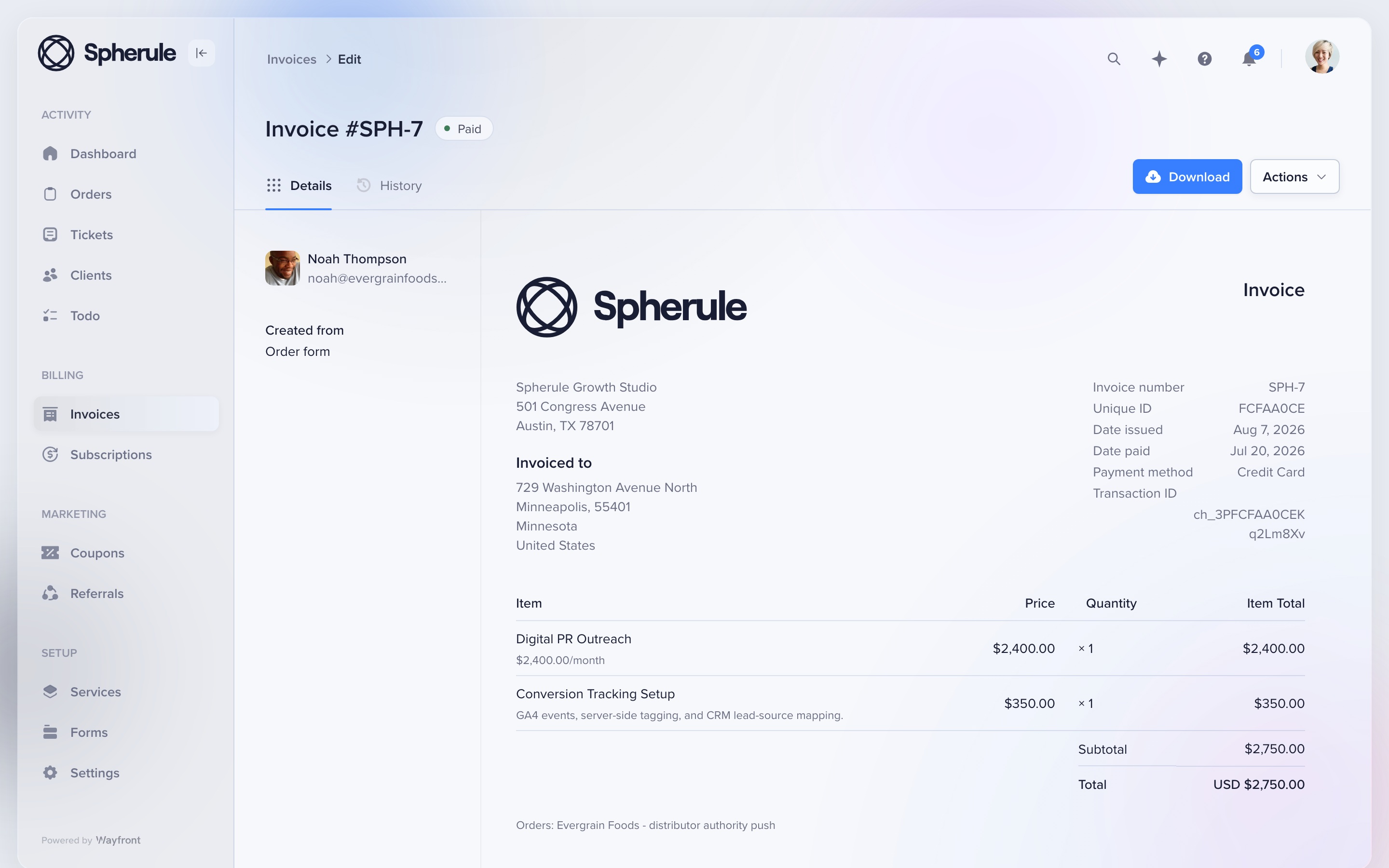
This redesigned invoice shows a recurring digital PR service and conversion-tracking add-on in one client record. The agency keeps control of its payment account, payouts, refunds, and disputes.
2. Onboard
Collect only the intake this service needs
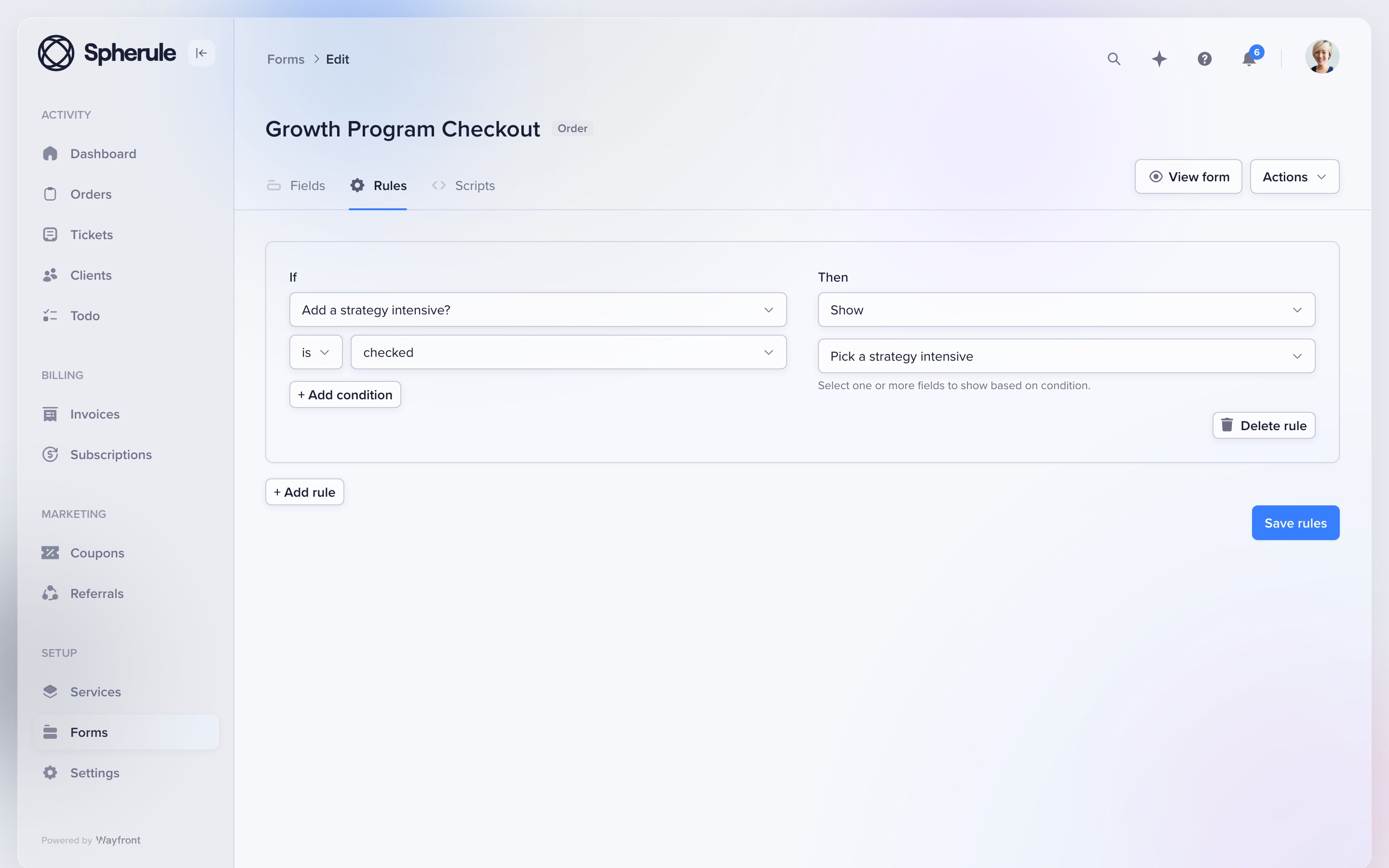
Give each service its own form. Conditional rules can show the next question based on the client's earlier answers.
Attach the form to the service before launch. A local SEO package, podcast plan, and landing page can each ask for different facts. The resulting project, tasks, owners, and client access stay tied to the purchase.
3. Communicate
Let clients choose the portal or email
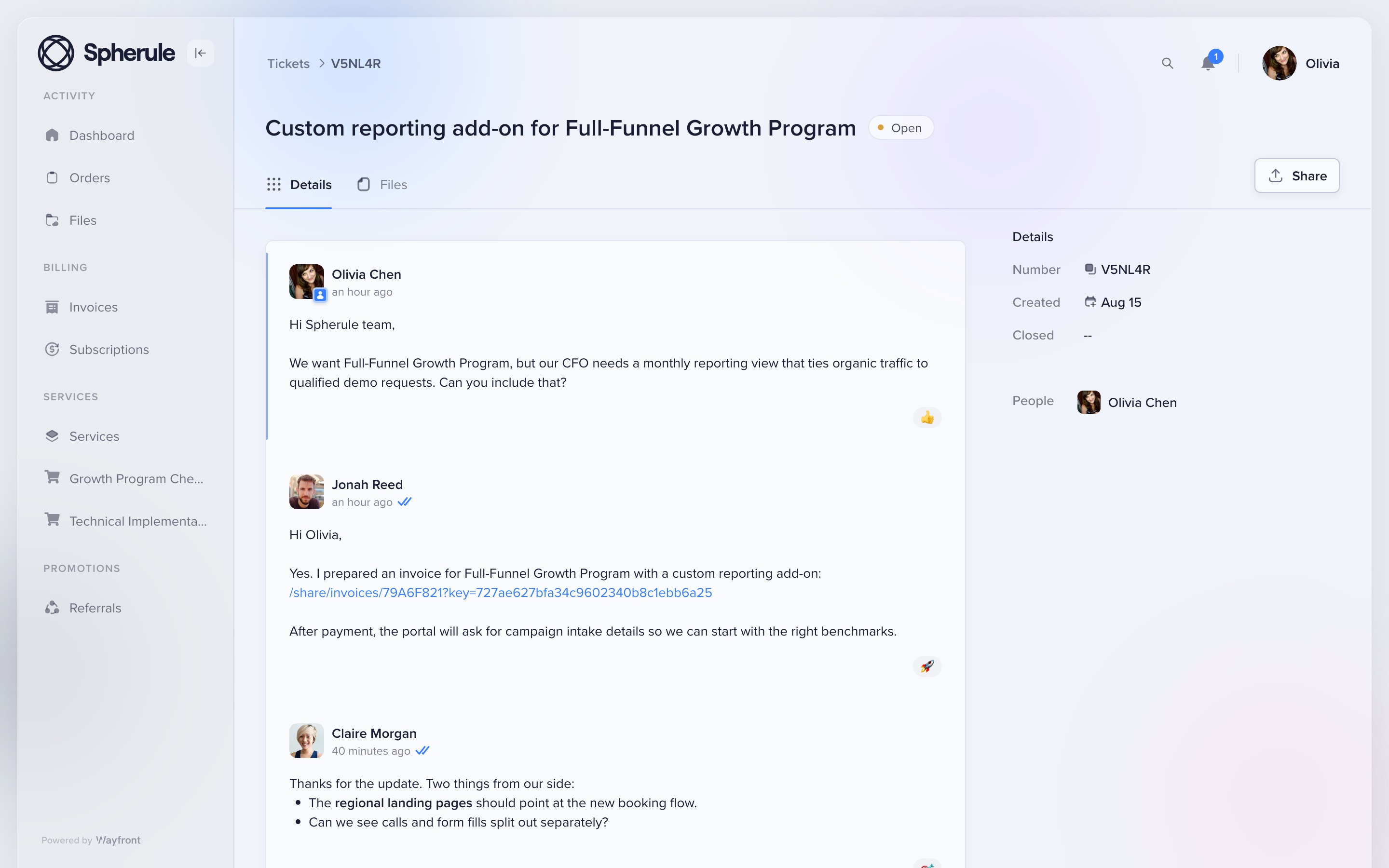
Clients can reply from their inbox or from the portal. Orders, files, tickets, bills, and current work stay under the same account.
This redesigned portal thread shows the conversation attached to the client account. Email replies return to the correct order or support ticket, so the team keeps one clear record.
4. Grow
Make the next sale easier
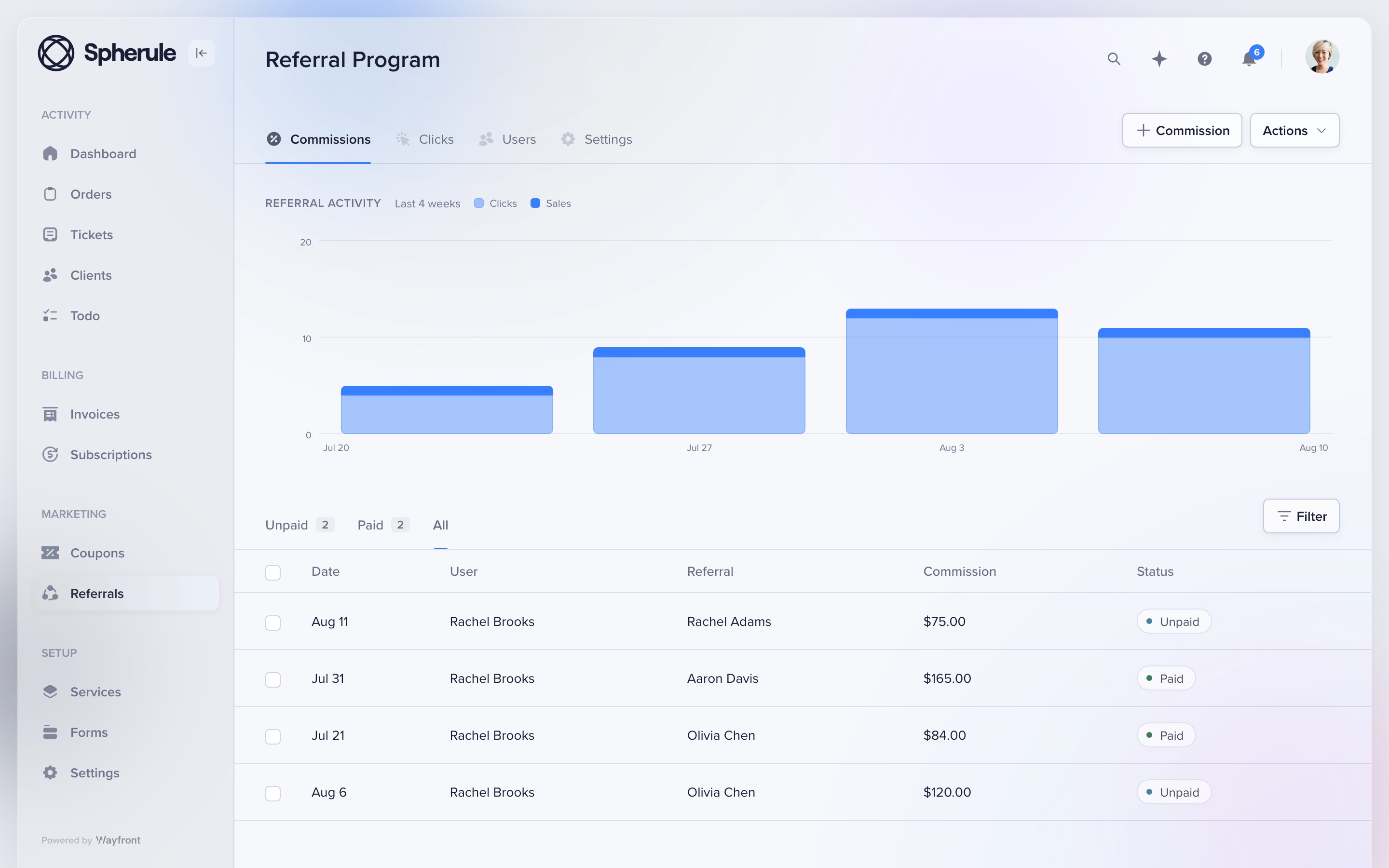
Keep repeat sales, referrals, and reseller work in the paid client account. The portal stays useful after the first job is done.
A client can buy again or refer a new buyer. An agency partner can resell an approved service from its own workspace. Each sale stays tied to the right client or partner.
Where Wayfront stops
Know the boundary
Wayfront is built for repeatable productized services. It is a poor fit for bespoke work that must be scoped, proposed, and priced from scratch for every client. Teams that need Gantt charts, time tracking, or deep resource planning may still want a specialist planning tool.
Before you buy
Run 3 tests with a real service and client
A feature grid hides the handoffs. These tests show what the agency and client must do next.
Buy the same real service
Use the same scope, price, options, and intake for each option you are seriously considering. If a tool needs a separate checkout or delivery system, include it in the test and count every manual handoff.
Deliver one awkward request
Change scope, add a file, reply from email, ask for support, and issue a refund. Check which staff and client records keep the full history without a manual rescue.
Sell the next service
Ask the same client to buy again, renew, refer a buyer, or purchase through a partner. The second sale exposes whether the product runs a client relationship or only the first transaction.
Switching
Move 1 service first
Keep HoneyBook for bespoke inquiries while you prove 1 repeatable service in Wayfront. Move the standardized offer, intake, active clients, and billing path after the first service runs cleanly.
1. Keep inquiry-led work where it belongs
Leave custom projects, open proposals, and negotiated clientflows in HoneyBook. Identify one service that clients already buy with the same scope and price.
2. Move the repeatable path
Build that service in Wayfront, attach its intake, test payment and delivery, then invite current clients who are likely to buy it again.
3. Preserve the project record
Keep open Smart Files, signed contracts, invoices, payments, email threads, project details, and completed work in HoneyBook while the new service proves itself.
Move the remaining repeatable services after one full purchase, delivery cycle, support request, and second sale work cleanly in Wayfront.
How this comparison was checked
HoneyBook clientflow, smart-file, project, automation, payment, scheduling, and client-portal documentation reviewed August 2026. We compared who each tool serves, what clients see, how payments work, and what happens after the sale.
For another perspective, read HoneyBook user reviews on G2.
HoneyBook alternative FAQs
Wayfront fits agencies selling repeatable services through a persistent client account. Dubsado fits bespoke clientflows that need deeper form and workflow control.
Keep it when inquiries, scheduling, proposals, contracts, invoices, and payments are the main client journey.
Yes. HoneyBook can keep booking-led custom work while Wayfront runs published services with repeat purchases, support, referrals, and reseller sales.
Test one offer from first click through payment, intake, delivery, client message, and second purchase. Keep any custom engagement that still needs the HoneyBook clientflow.
Comparing a wider set of portal categories? Read our guide to the best client portal software for productized agencies.
