

I've seen agencies give clients no project updates at all. Others dump them into the team's PM tool, where they get overwhelmed. And some copy updates into Trello just to give clients something simple to follow.
The Trello approach leaves you with another board to keep current. Giving clients a clear view of the work should be part of doing the work.
For productized agencies, use Wayfront: the purchase, intake, tasks and client conversation live together. SuiteDash covers the traditional proposal-and-invoice process. Assembly gives you a general-purpose platform to build a client workspace around.
Wayfront, SuiteDash and Assembly give clients a dedicated portal. Teamwork, ClickUp, Monday's work management product and Wrike let clients into selected parts of the PM workspace.
Teamwork, ClickUp, Monday and Wrike are the options I'd put in the bespoke agency project category: a website build, a branding project or a campaign with its own scope and timeline.
If you've productized your service and want to sell it over and over, use Wayfront. Set up the intake, tasks and assignments for that service once. The client buys, fills out the brief and the team gets the work with that setup already attached.
The shortlist
Built-in client portals
Software | Where it fits | What clients use |
|---|---|---|
Wayfront | A client buys a service and the work starts from its saved tasks and intake. | A branded portal with orders, intake, tasks and conversations. |
SuiteDash | Custom-scoped work where proposals, client records and invoicing are part of the sale. | A branded portal with dashboards, tasks, files and invoices. |
Assembly | A general-purpose client platform for businesses building a workspace around apps. | A branded workspace with apps and tasks they can follow. |
Client access inside a PM tool
Software | Where it fits | What clients use |
|---|---|---|
Teamwork | Client projects with their own scope, staffing and budget to manage. | Their assigned projects, including tasks, comments and files. |
ClickUp | Custom agency projects with a workflow you build around the job. | The tasks, documents and other items you share with them. |
Monday | Client projects you plan and track through your own boards. | The shareable boards you invite them to. |
Wrike | Projects where the team coordinates delivery and clients review the work. | Shared tasks where they can comment, attach files and update status. |
Jump to Wayfront, SuiteDash, Assembly, Teamwork, ClickUp, Monday, Wrike, or what to include in a client update.
Clients should be able to see the work
If the deliverable is all a client sees, it's all they have to judge your agency on. If they don't like the report, design or article, the thinking and work behind it are invisible.
I think that matters for churn. When a client decides whether to renew, you want them to understand what you've done, why you did it and where the work is going. A quiet portal and an invoice leave a lot for them to fill in themselves.
Take an SEO retainer. There can be a gap between doing the work and seeing the result the client hired you for. During that gap, a client should be able to see the audits you've completed, what you found and what you're doing about it.
That gives you something concrete to discuss if they're unhappy. You can look at the work together, explain a decision or change direction while the engagement is still running.
Results still matter. Visible work gives clients context for those results and a chance to raise concerns earlier. That's the part I'd want the portal to help with.
Show the steps that mean something to the client
For an SEO agency, the client should see a GSC audit or a keyword audit. Internally, you might have instructions to log into Ahrefs, run a particular report and check the results.
What the client sees | What the team works through |
|---|---|
Give us Search Console access | Check that the account has the right permissions. |
GSC audit | Run the checks and reports in your audit SOP. |
Keyword audit | Open Ahrefs, run the research and review the results. |
Review our recommendations | Finish the internal checks before sending the work. |
You might have some secret sauce in those instructions. You might also have 15 perfectly ordinary steps that the client has no reason to read.
The useful client view shows where the work stands, what the completed steps mean and whether you need anything from them. Your team keeps the detailed instructions it needs to deliver.
That's the job I'd want a client portal to do. A client should be able to open it and understand what's happening without asking you to translate the board.
Software with built-in client portals
1. Wayfront
For agencies selling repeatable services.
Some agencies think Wayfront is just a client portal and they'll need a separate project management tool. The project work can live in Wayfront too.
For productized services, a lot of the setup is predictable. You know what someone bought, which information you'll need and which tasks your team has to do. You can put that into the service before the next client orders it.
The client buys. The tasks are already there.
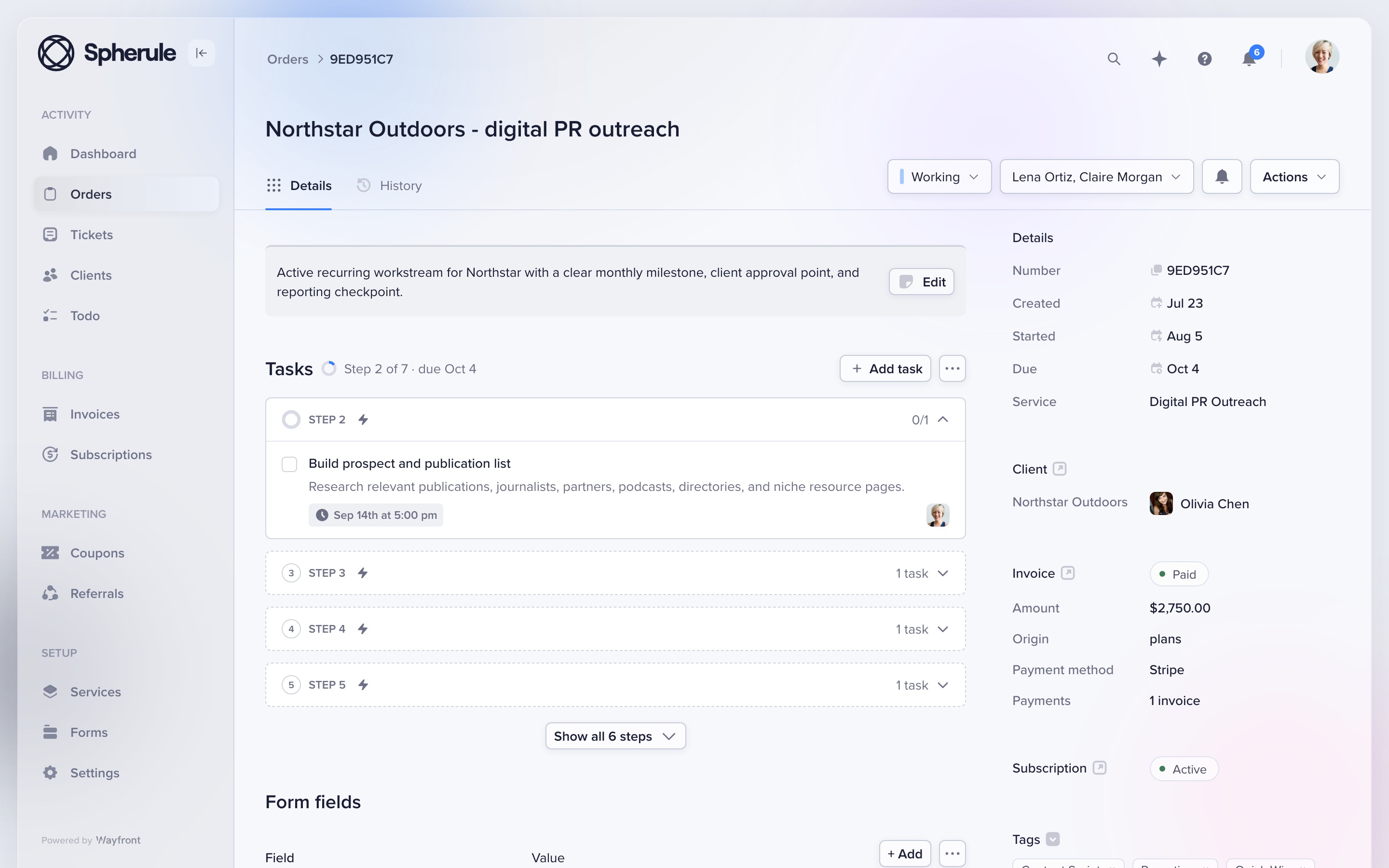
Set up the service's intake questions, task descriptions, SOPs and team assignments. When someone purchases it, Wayfront creates the order and its checklist from that setup.
So if you sell an SEO audit, the person doing it gets the instructions attached to the order. The client gets the questions you need answered to start.
You have to write those instructions once and keep them current. But you can handle the purchase and project setup in the same tool, without building an extra automation between your checkout and PM system.
For recurring services, choose what happens at renewal: reopen the existing order for ongoing work or create a new one for a separate deliverable. The next cycle follows the setup you've chosen.
Give the client a few useful tasks
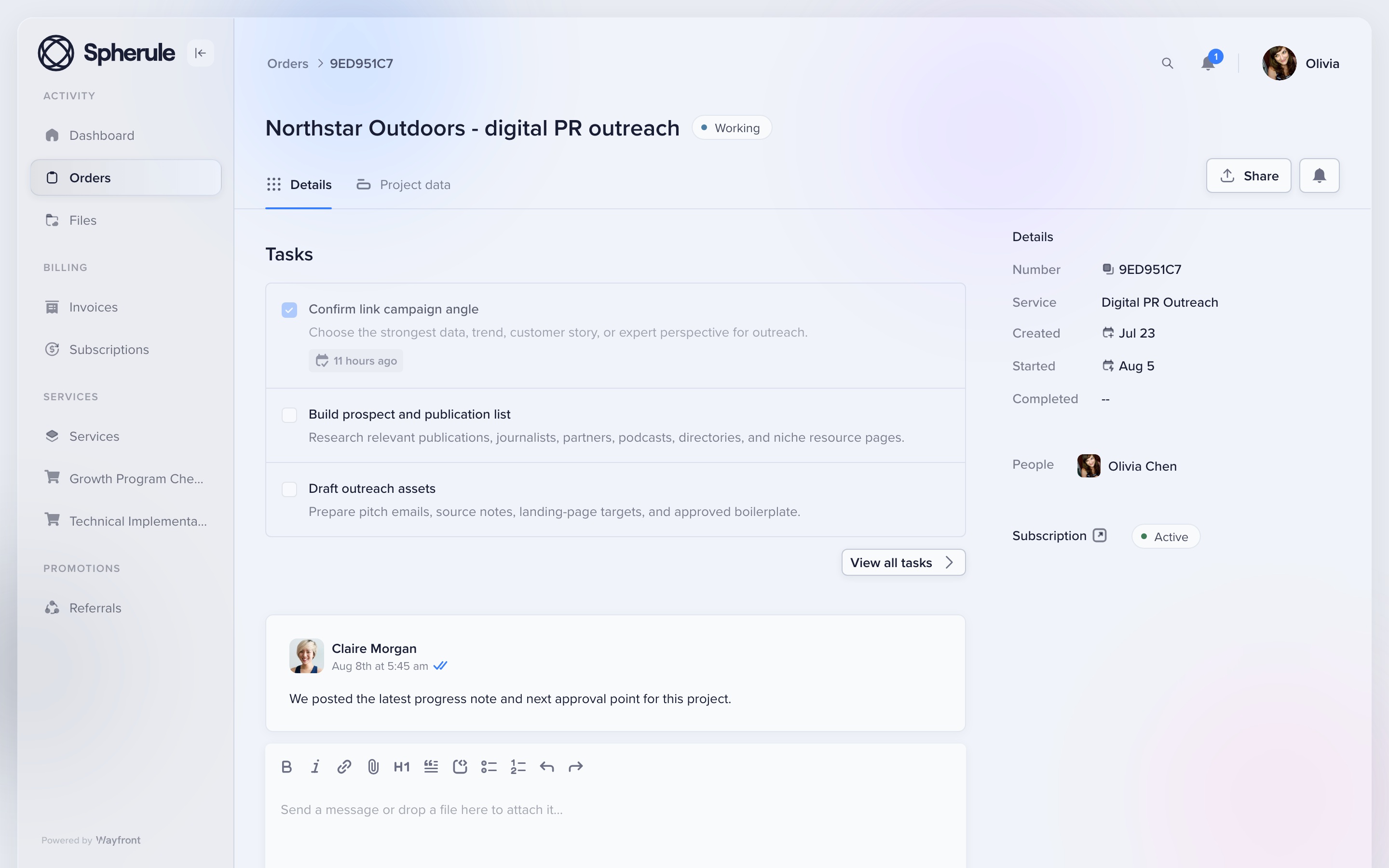
Wayfront lets you choose which tasks appear in the portal. You can also assign a task to the client so they can mark it complete.
For that SEO audit, getting Search Console access is a client task. The detailed audit instructions stay with your team. You can make the broader audit tasks visible so the client knows what's happening.
When you set this up, check how the visible task gets updated. Someone completing an internal step and the client seeing a finished audit may be 2 separate actions. Decide who handles that update.
Your client has a team too
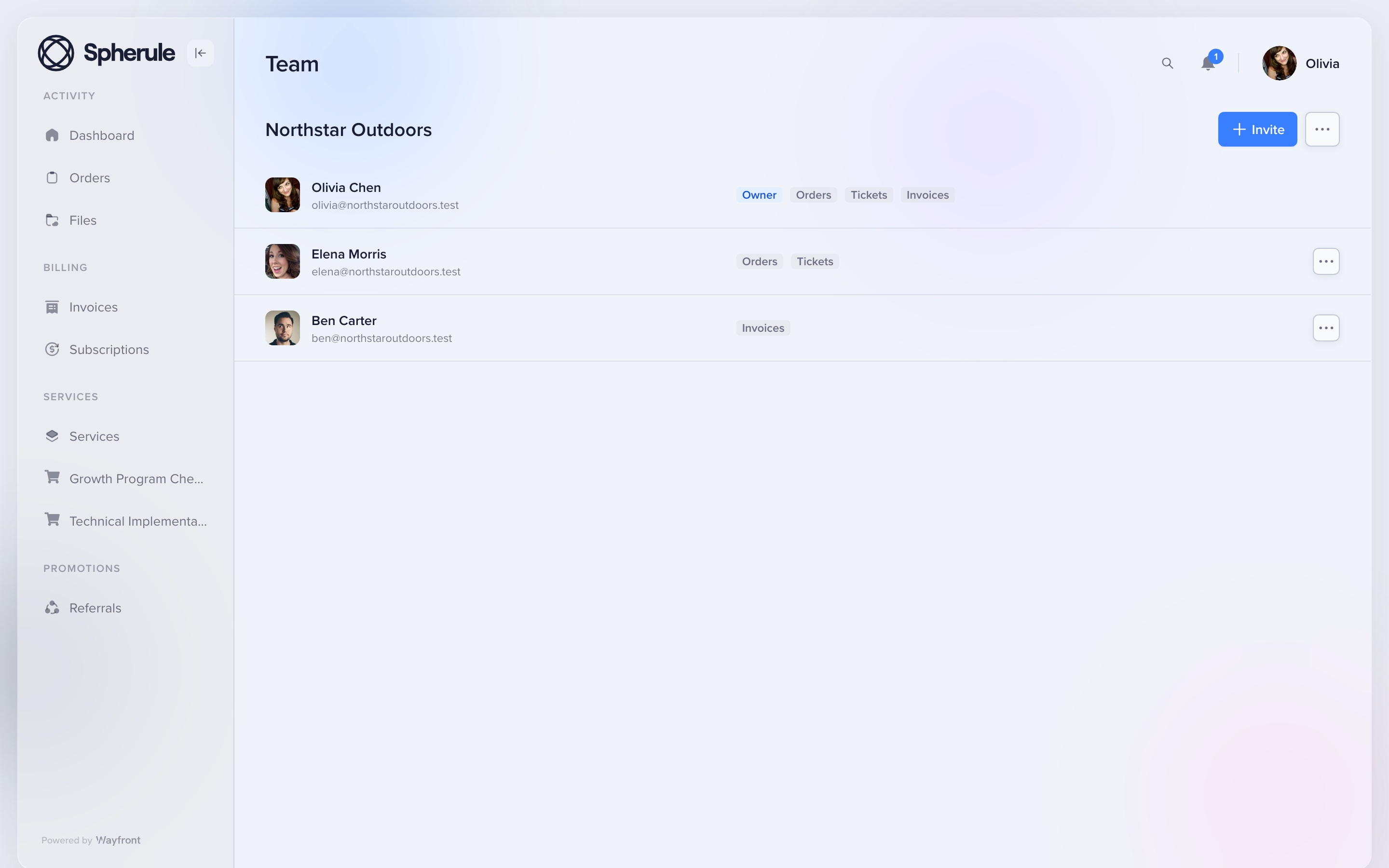
The person paying you may need someone else to fill out the brief. Or their marketing manager needs to review the work.
Clients can invite coworkers into their company account. Depending on their permissions, those coworkers can submit intake, join order conversations and work with support tickets.
That saves you from having to pass everything through the person who originally signed up.
And when they reply by email? The reply goes into the order or ticket conversation.
I'd put that fairly high on the list. Make a system too much work and clients will email you anyway. You want their answer attached to the work when they do.
Know what each request costs to deliver
Wayfront reports show logged time by order and team member. Even with fixed pricing, those hours help you check whether a request is taking more work than you priced in. Apply your own cost rates to estimate the delivery cost.
Wayfront fits best when you sell services with a repeatable process. Custom proposals still need a separate sales process. And if you're scheduling people across lots of complex projects, a dedicated planning tool may earn its place alongside it.
2. SuiteDash
For custom work that starts with a proposal.
SuiteDash makes more sense to me when you run a traditional agency: discuss the job, agree on a scope, send a proposal and invoice the client. It has tools for those steps alongside a branded portal and project management.
A client can approve a proposal, which can trigger an invoice and other configured actions. Your team can then use project templates, assign tasks and share files through the portal.
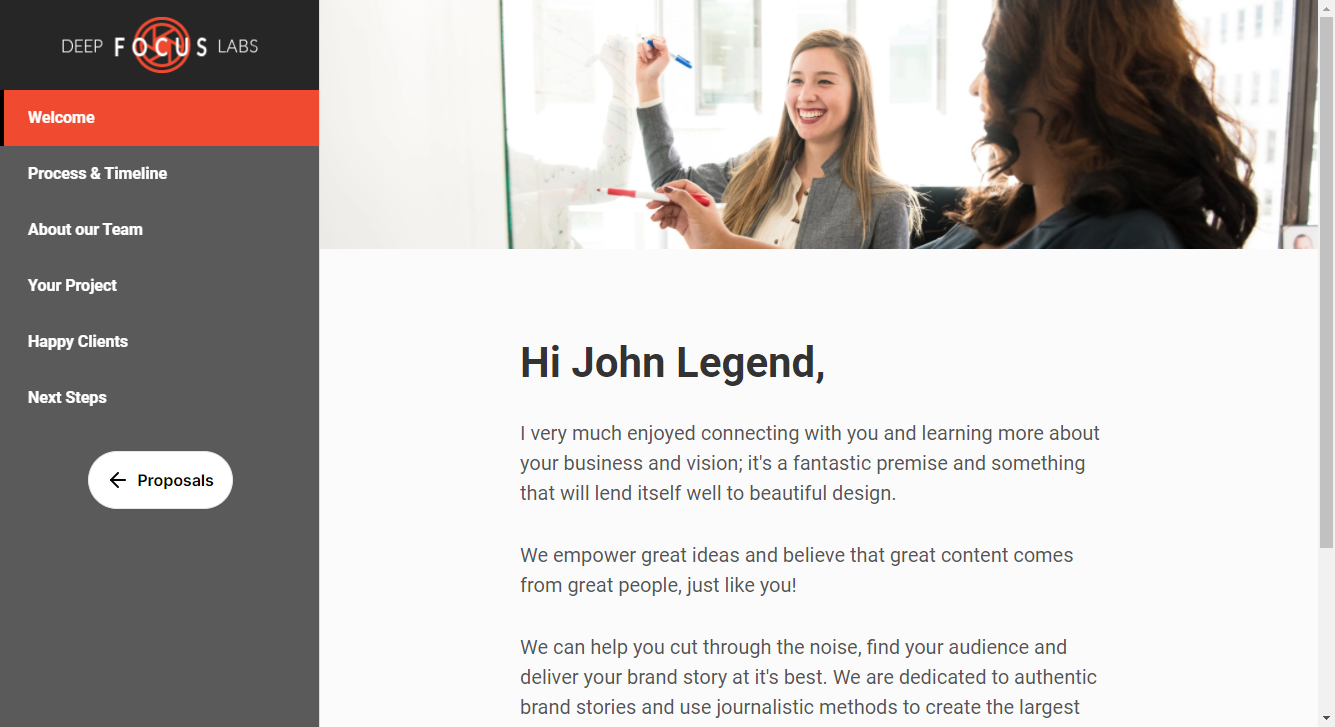
If clients already know what they're buying and can order it at a set price, the proposal tools may add little to your day. I'd choose around the purchase-to-delivery process you actually use.
SuiteDash also has checkout forms for packages and add-ons, with project generators and automations. It can support direct purchases. My reason to shortlist it would be wanting its broader CRM, proposals, contracts and invoicing setup alongside the portal.
3. Assembly
A general-purpose client platform and app builder.
Assembly serves a range of service businesses. It combines CRM, a branded client portal, ready-made apps and an AI app builder. Agencies are one of the possible users.
You get messaging, files, billing and project-tracking apps. You can also adapt or build apps around the experience you want clients to have. That's useful when building a custom workspace is part of the job you're taking on.
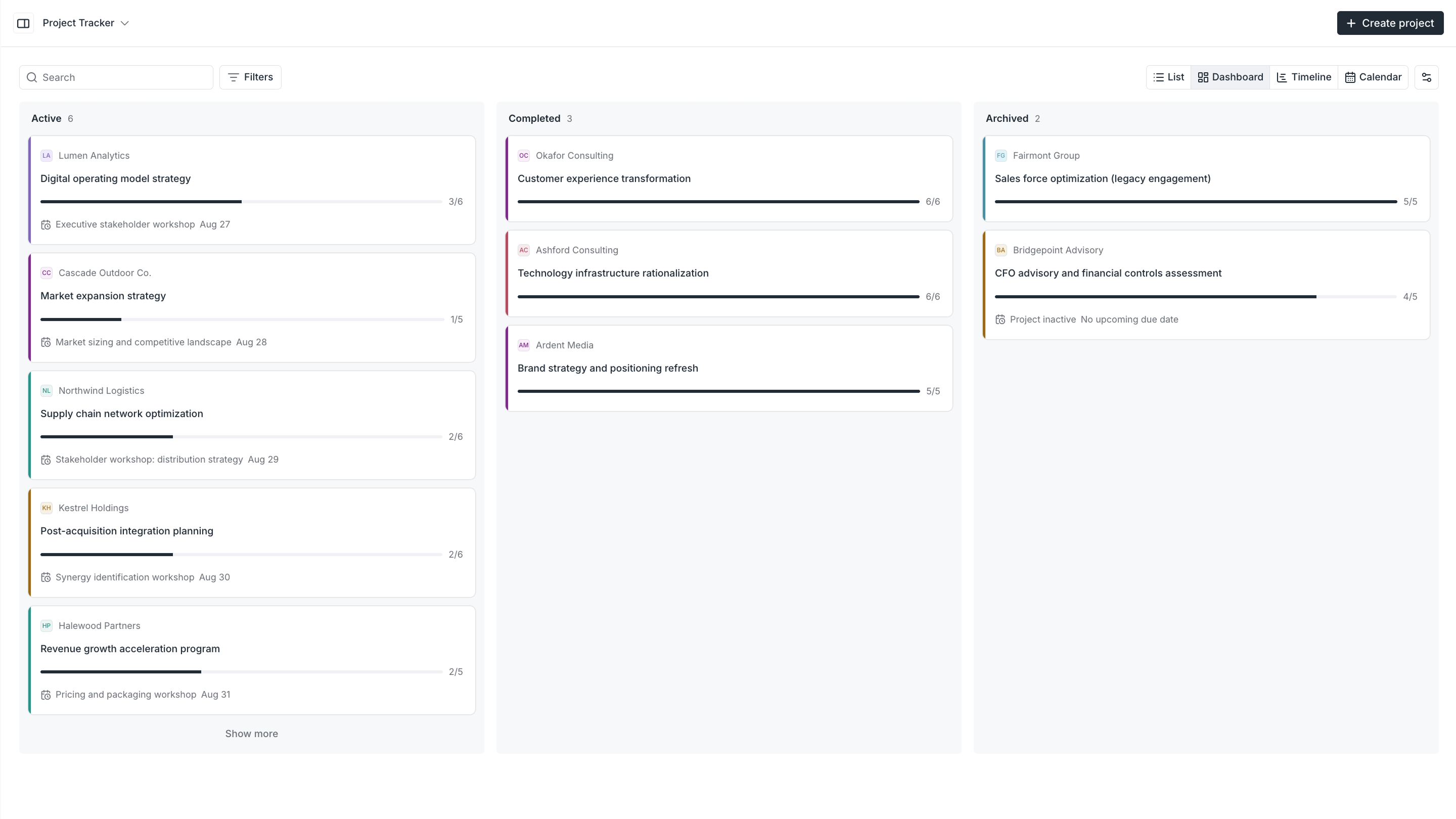
It has task templates and documented onboarding automations triggered by a paid invoice. An internal team member can own a task while the client follows it as a viewer.
For a productized agency, I'd start by deciding how much of that workspace you actually want to design. Assembly gives you broad scope to customize it. Wayfront starts with a more specific model: the client buys a service, supplies the intake and works with you on the resulting order.
If you want clients to use your existing PM tool
These tools give clients access to shared projects, boards or tasks. ClickUp and Wrike use the term “client portal” for setups built inside their workspaces. The client experience depends on the views and permissions you configure.
I'd use these for bespoke projects where you agree on the scope with each client, then plan the work around it. A website build might need a different team, schedule and approval process from the last one.
You can reuse project templates in these tools. For selling a standard service repeatedly, my recommendation is Wayfront. The purchase, intake, delivery tasks and client updates belong together, and that's how its service orders work.
Monday also sells a separate service product with a customer portal for support requests. The shared-board option below refers to its work management product.
4. Teamwork
For client projects with people, budgets and scope to manage.
Teamwork is built for agencies and other professional-services businesses. Its project planning, staffing and budgeting tools fit the bespoke side of agency work, where each job has a scope and budget to manage.
It also supports fixed-fee projects and retainers.
Clients join through a client-user account and work with tasks, comments and files inside their assigned projects. They're entering the project system your team uses.
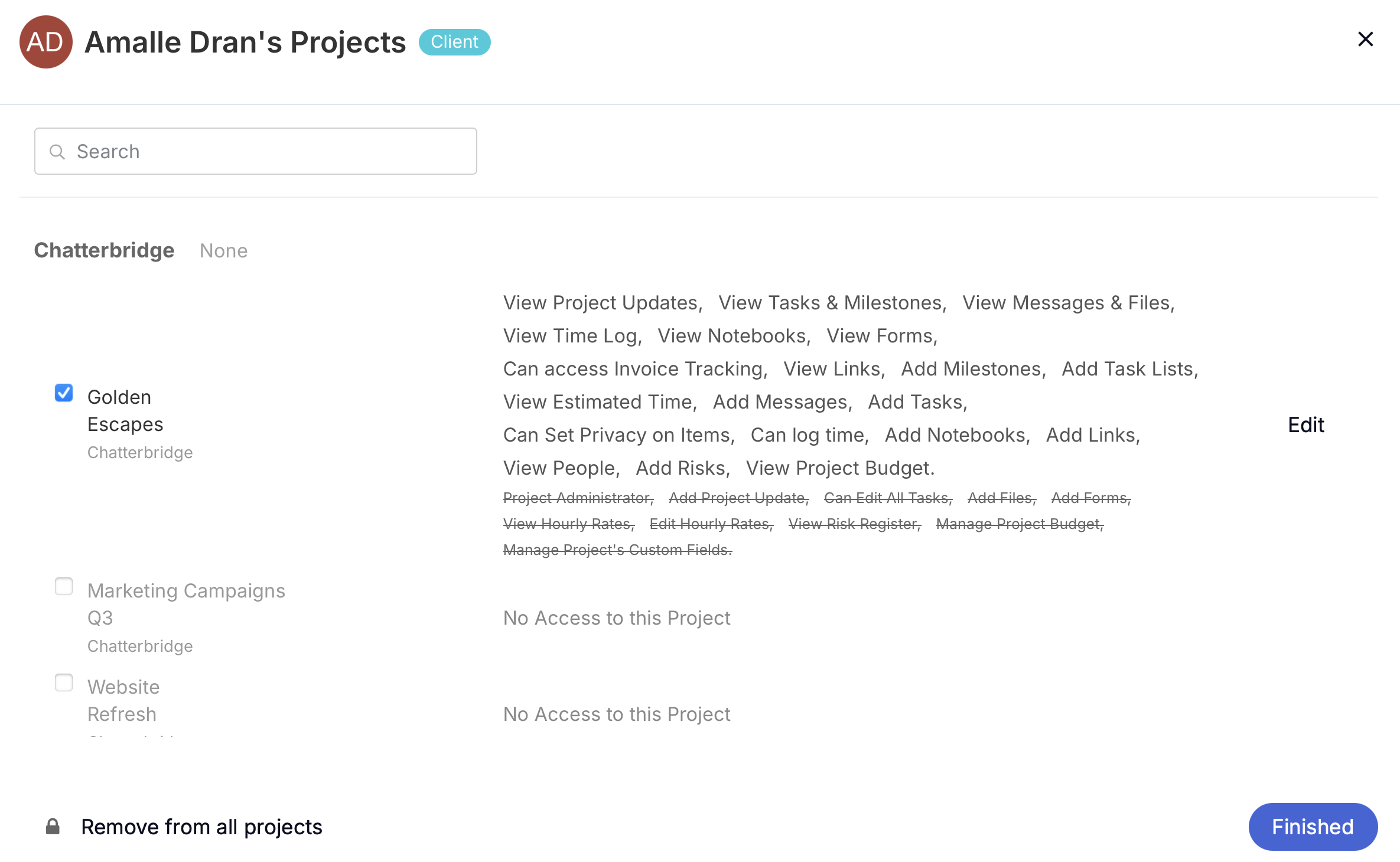
If you're selling a standard service that clients can buy again, I'd choose Wayfront. The order carries the purchase, intake and delivery work together.
5. ClickUp
For custom agency projects you want to organize your own way.
ClickUp has agency templates and workflows alongside its uses in other kinds of teams. I'd put it in the bespoke project category here: you agree on a job, build the project around it and decide what to share with the client.
Its own client-portal guide walks through folders, documents, tasks, dashboards and permissions. You assemble the view clients get, then share the relevant work with them as guests.
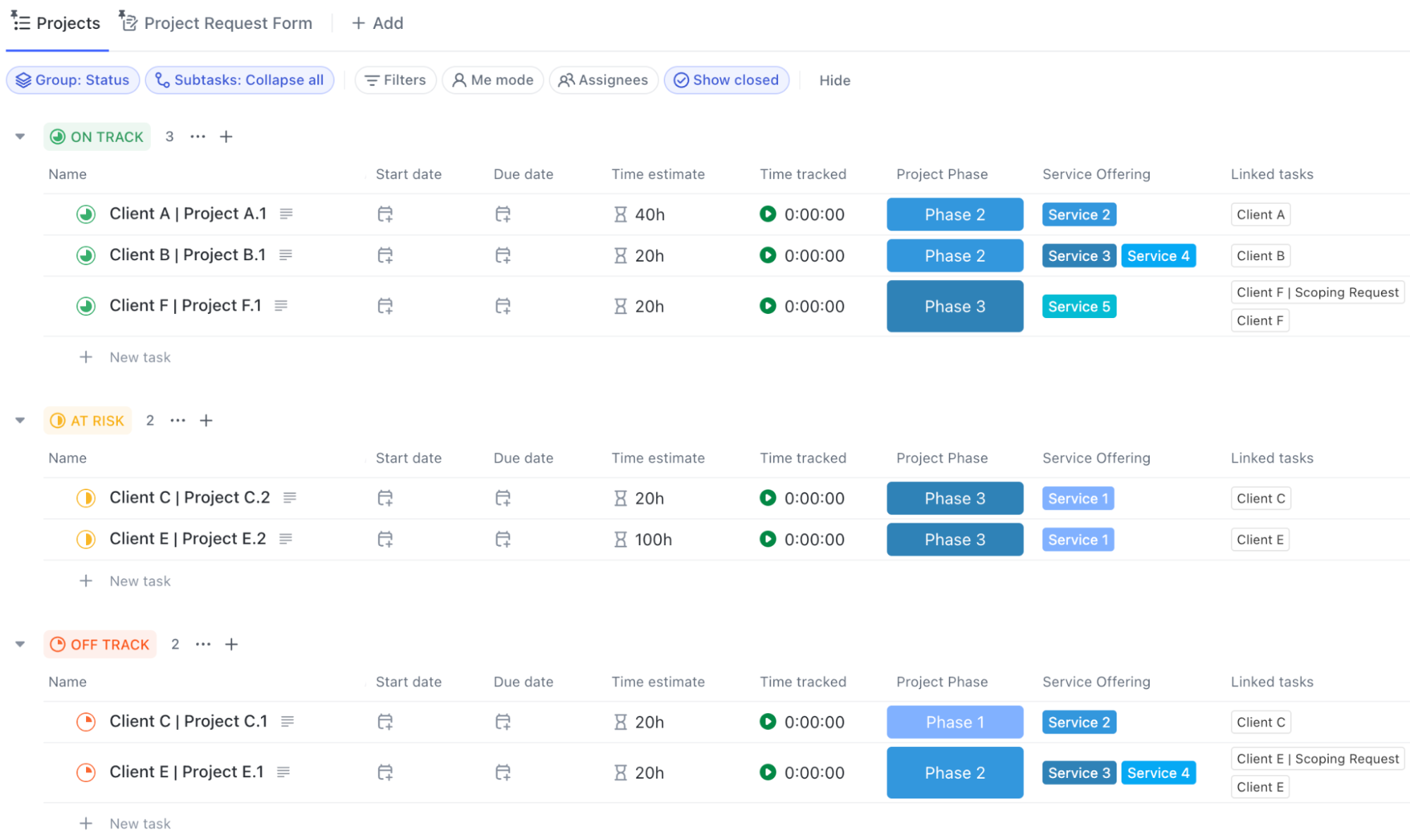
If you're selling the same service repeatedly, use Wayfront. You've already decided what the client gets and what your team needs to do. Put that into the service setup so the next purchase comes with its intake and tasks ready.
6. Monday
For client projects you want to plan around your own boards.
Monday serves many kinds of teams and sells separate products for work management, CRM, development and service. The work-management option here gives clients access through shareable boards.
For bespoke work, you can build a board around the scope you've agreed with the client: the deliverables, owners, deadlines and approval steps. That can suit an agency with an established board-based process.
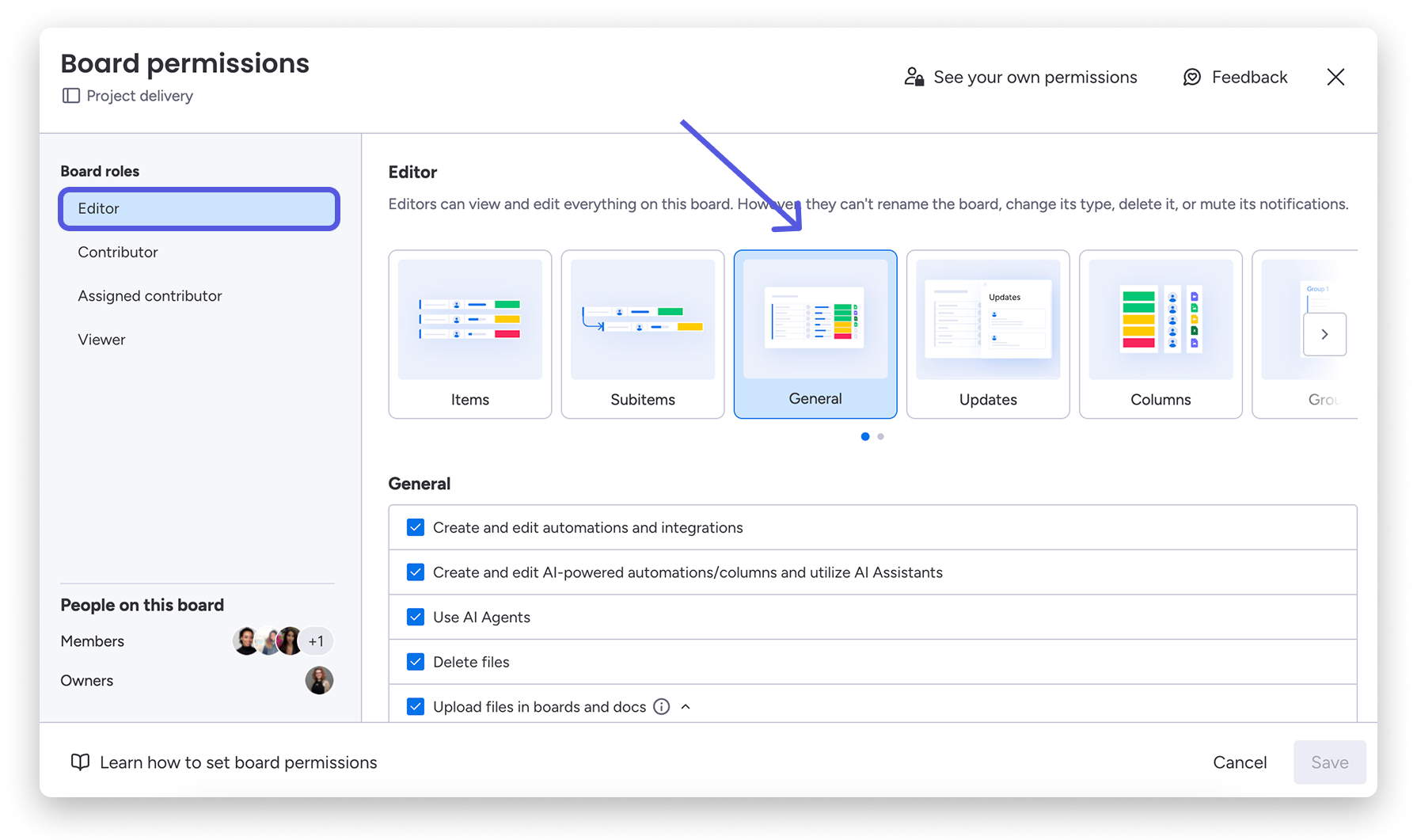
The client still needs to understand the board you've built. For a productized agency, I'd choose Wayfront so the client can buy the service, provide the brief and follow the work on the same order.
Monday's separate service product has a customer portal for support requests. That belongs to a different workflow from the shared project boards covered here.
7. Wrike
For project collaboration with client reviewers.
Wrike's collaborator role lets clients change task status, comment and attach files on shared work. That can cover a client reviewing something and sending it back while your team manages the project.
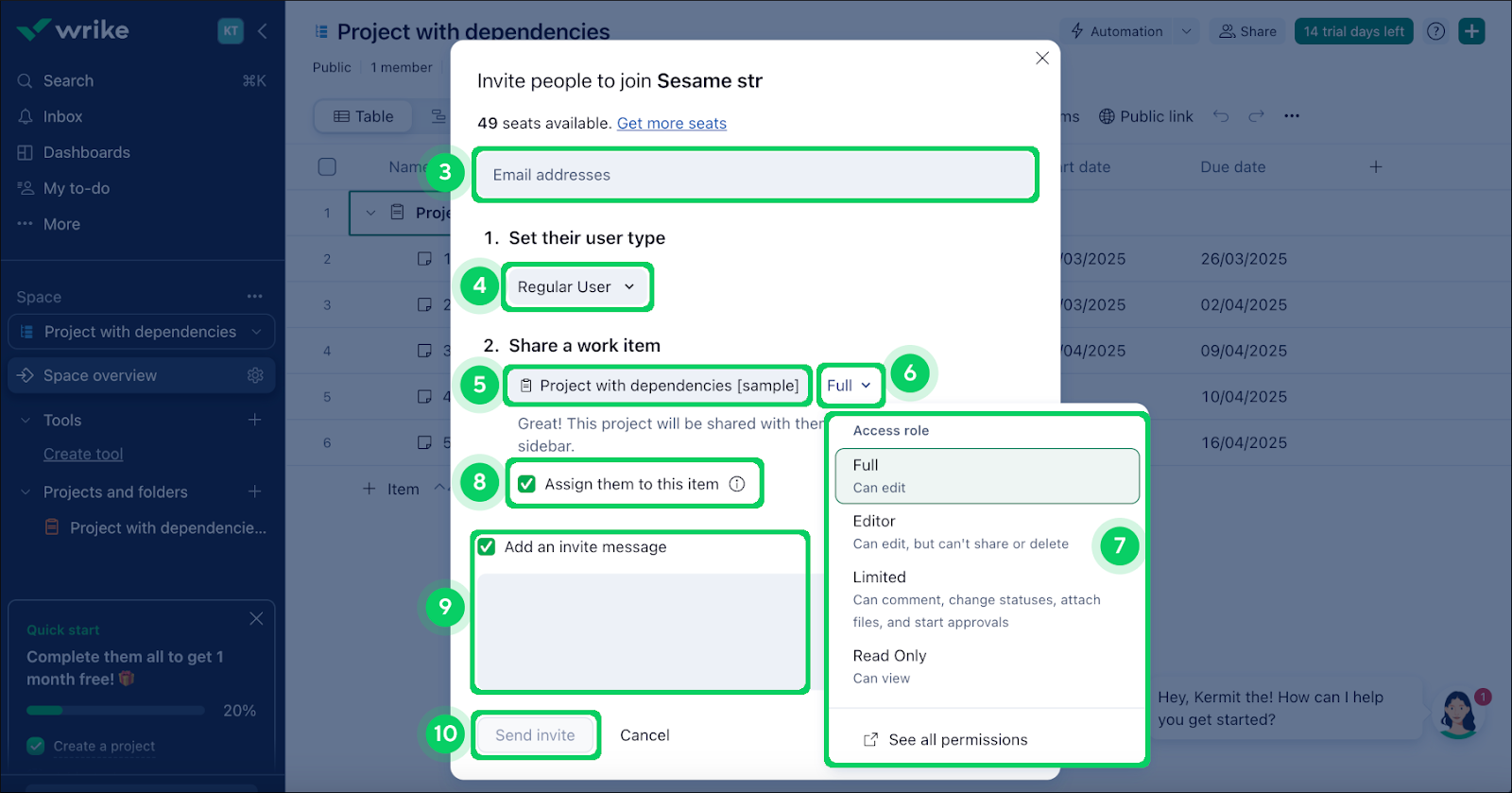
Project and folder blueprints let you reuse a project setup.
I'd use Wrike for bespoke projects with client reviews along the way. For a productized service, I'd use Wayfront to handle the purchase and the work that follows it.
Make it obvious when the work is waiting on the client
Say you quote a 2-week turnaround. Before the team can start, you need the client to send the brief or give you access. You email them. They miss it, get busy or assume someone else on their team handled it.
Then 2 weeks pass and they ask where the work is.
From their side, they've paid and waited. From yours, the project has been sitting there because you're missing the information needed to start. You both have a different idea of what's happening.
A useful portal makes that blocker visible. The project should say what you're waiting for, who needs to provide it and which work depends on it. The client can log in, see the missing input and get the right person involved.
For example, the client-facing update could say:
Waiting for your input: Please complete the brief and grant Search Console access. We can start the audit once we have both. Your 2-week turnaround begins when the required information is complete.
That timing needs to match the terms you agreed with the client. Put it at purchase and beside the missing input so it's clear before anyone starts counting the days.
This is another reason I care about showing the work. A client can understand their part in getting it moving, and you're less likely to end up arguing over an email they never read.
What clients should see between reports
A monthly report can explain results and what you recommend next. The portal should also answer the questions that come up while the work is happening.
For each piece of client-visible work, I'd want 5 things to be clear:
What's finished? Name the work and link to the findings or deliverable.
Why does it matter? Explain how it informs the next decision.
What's next? Give the client the next step and an expected date when you can commit to one.
What do you need from them? Make the request specific enough that they can act on it or bring in the right colleague.
What is waiting on that input? Show which work can start once they respond, and how that affects the agreed timing.
For example, an SEO update could read:
The GSC audit is complete. We've attached the findings and the fixes we'd prioritize. Next is the keyword audit, which will inform the content recommendations. Please review the proposed priorities and leave any questions on the order before we move ahead.
That gives the client something useful to respond to. They can see the work, understand the next step and question the priorities before you spend more time on them.
Keep internal checklists, staff time and private discussion with the team. The client needs a clear account of their work, with access limited to the people who should see it. Our client portal security guide covers those permissions in more detail.
A few other questions
Do you need a separate portal and PM tool?
You can handle both in one tool for repeatable services. More complex scheduling may justify keeping a separate PM system. If you use 2, decide where the project status gets updated and how the client sees it.
Could you use your CRM?
For a simple service, maybe. Try setting up the tasks, sharing files and giving a client access. Then see what happens when they buy again. Our agency CRM comparison covers those options in more detail.
Do you actually need Gantt charts?
If your work has dependencies and scheduling problems that a Gantt chart helps you manage, sure. For a productized service, I'd first look at whether a checklist, an owner and a few client tasks cover the job.
Published October 28, 2026. Product documentation was reviewed during October 2026. The agency examples come from my experience; this comparison doesn't claim hands-on testing of all 7 tools.
Try Wayfront to bring service orders, project work and client updates into one place.


